Inkyway Galaxy: Takoyu Rescue!
Inkyway Galaxy: Takoyu Rescue!
Inkyway Galaxy: Takoyu Rescue!
4-Player Top-Down Shooter
4-Player Top-Down Shooter
4-Player Top-Down Shooter
Overview
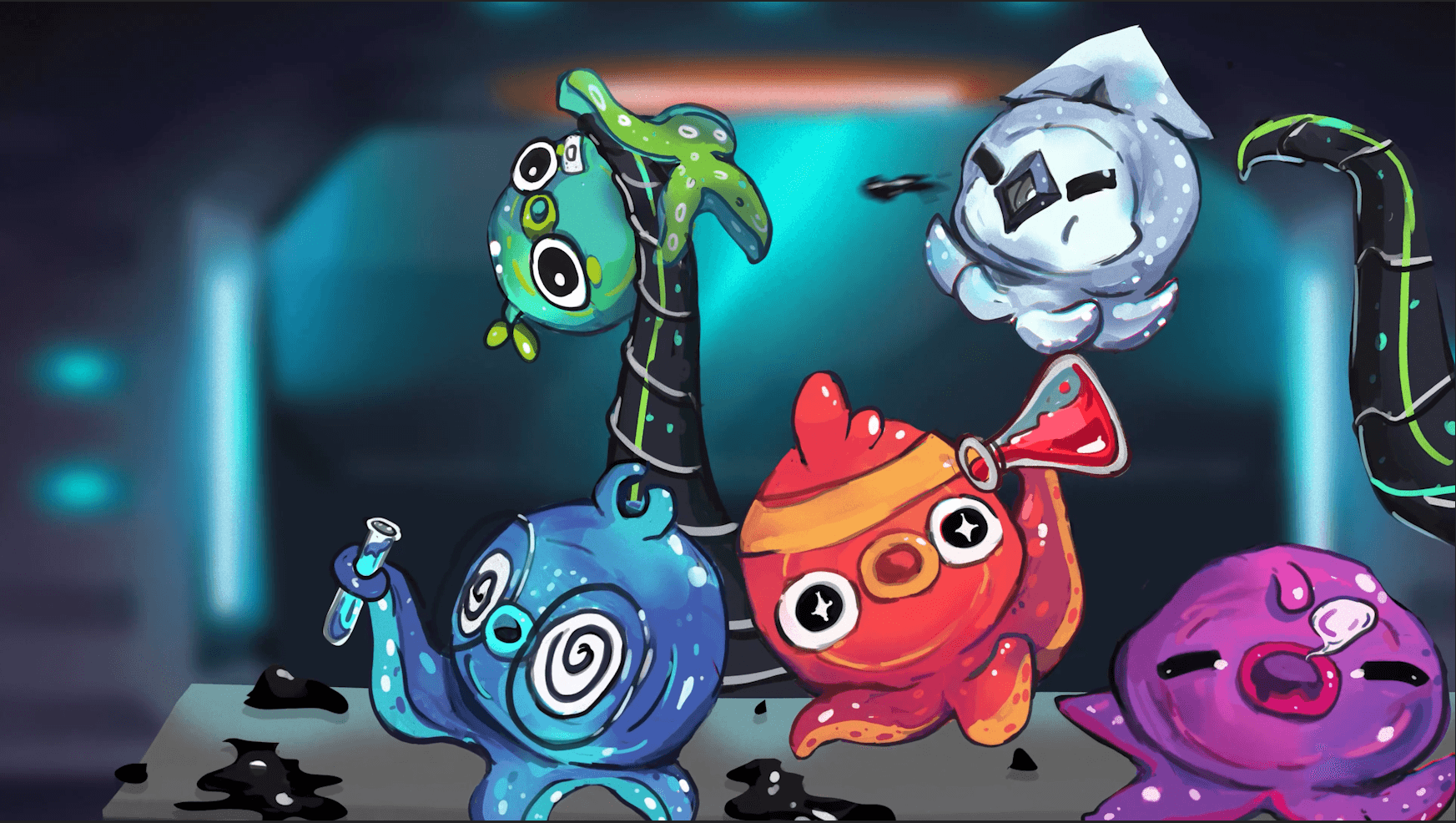
Inkyway Galaxy: Takoyu Rescue! is a casual, cooperative, top-down shoot 'em-up inspired by classic arcade games in 2D, hand-drawn graphics. Up to 4 players must work together to defeat waves of enemies but individually compete for the highest score. The game follows four space-octopi as they fight their way through the evil scientist Dr. Moray’s ship to free their missing sibling.
Inkyway Galaxy: Takoyu Rescue! is a casual, cooperative, top-down shoot 'em-up inspired by classic arcade games in 2D, hand-drawn graphics. Up to 4 players must work together to defeat waves of enemies but individually compete for the highest score. The game follows four space-octopi as they fight their way through the evil scientist Dr. Moray’s ship to free their missing sibling.
Inkyway Galaxy: Takoyu Rescue! is a casual, cooperative, top-down shoot 'em-up inspired by classic arcade games in 2D, hand-drawn graphics. Up to 4 players must work together to defeat waves of enemies but individually compete for the highest score. The game follows four space-octopi as they fight their way through the evil scientist Dr. Moray’s ship to free their missing sibling.
Built with
Figma
Adobe Illustrator
After Effects
Role
Sole UI/UX Designer
Scope
UI design, motion graphics
Team
~20-person student studio
Timeline
One semester (3rd year)
Platform
Custom 4-player tabletop arcade cabinet (Unity)
Context
Studio-simulation course
MAIN MENU
MAIN MENU
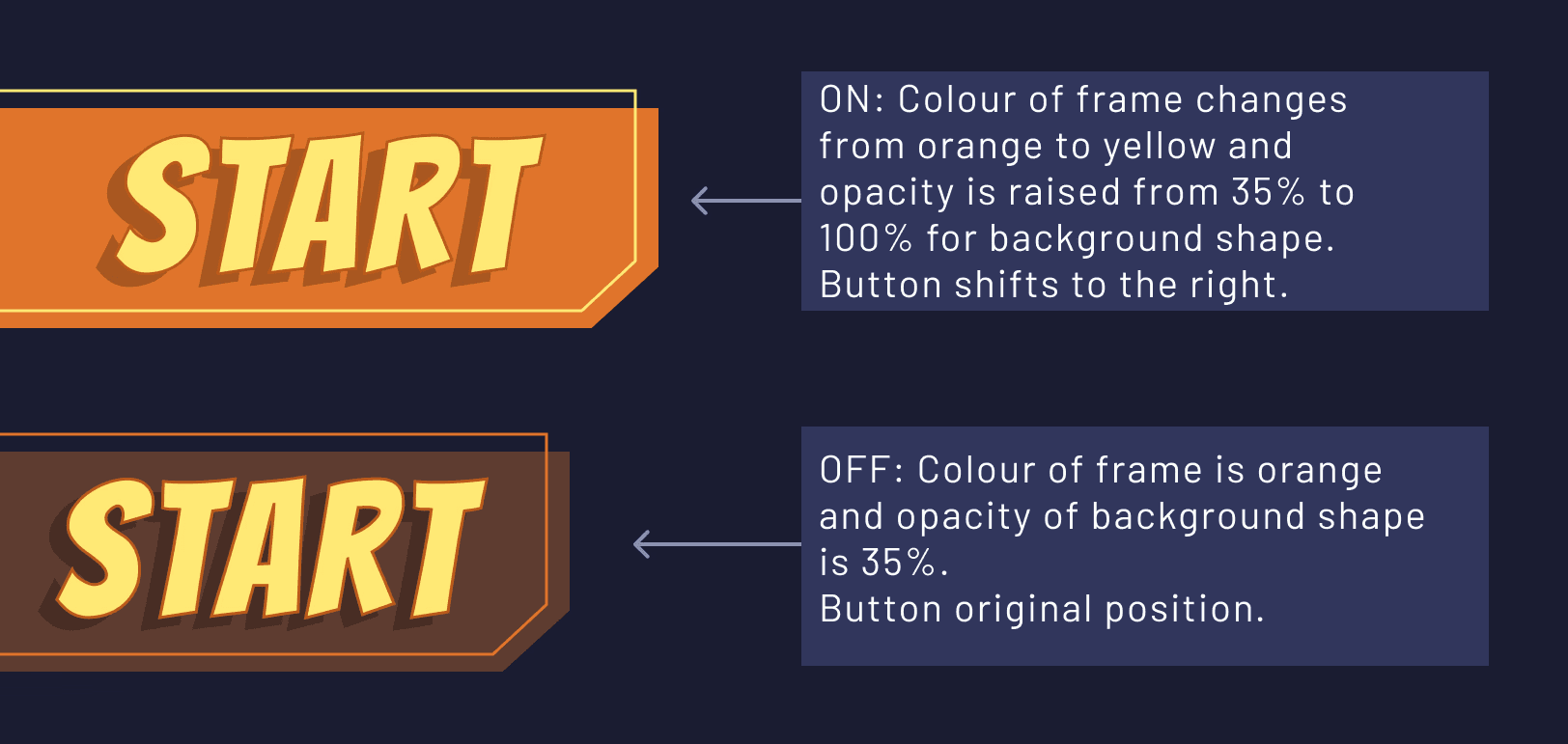
The user interface is designed for seamless navigation and an intuitive player experience. The cartoon-inspired, non-diegetic UI aligns with the game's aesthetic, maintaining a fun and lighthearted tone and ensuring players can fully immerse themselves.
Some inspiration for the UI comes from Marvel Avengers Alliance 2 and Pokémon GO, where thelighthearted tone is mirrored through vibrant and playful aesthetics that reflect the semi-futuristic setting of Inkway Galaxy.
The health and score indicators are prominently displayed, ensuring players can easily tracktheir progress and performance. The cooperative aspect is facilitated through a character-select screen and leaderboard, encouraging collaboration between players. Visual and auditorycues are incorporated to enhance the overall gaming experience, with music for the menusand scrolling and selection sound effects.

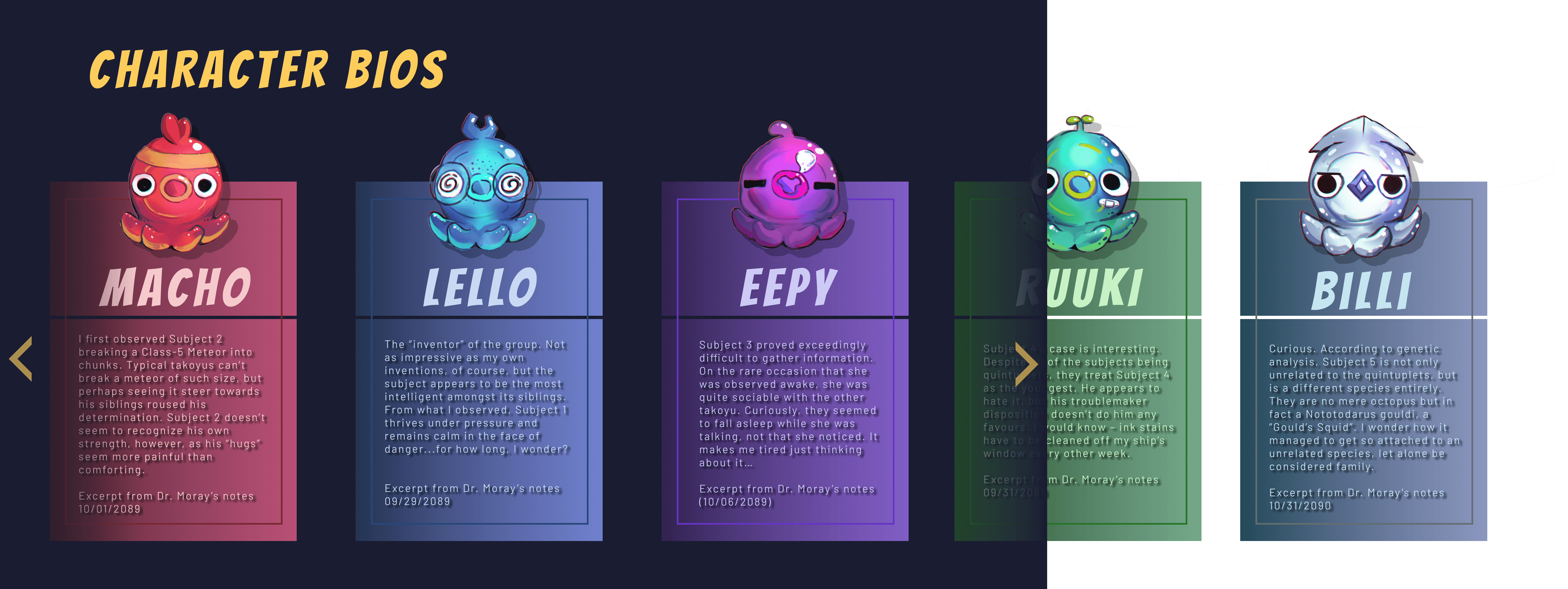
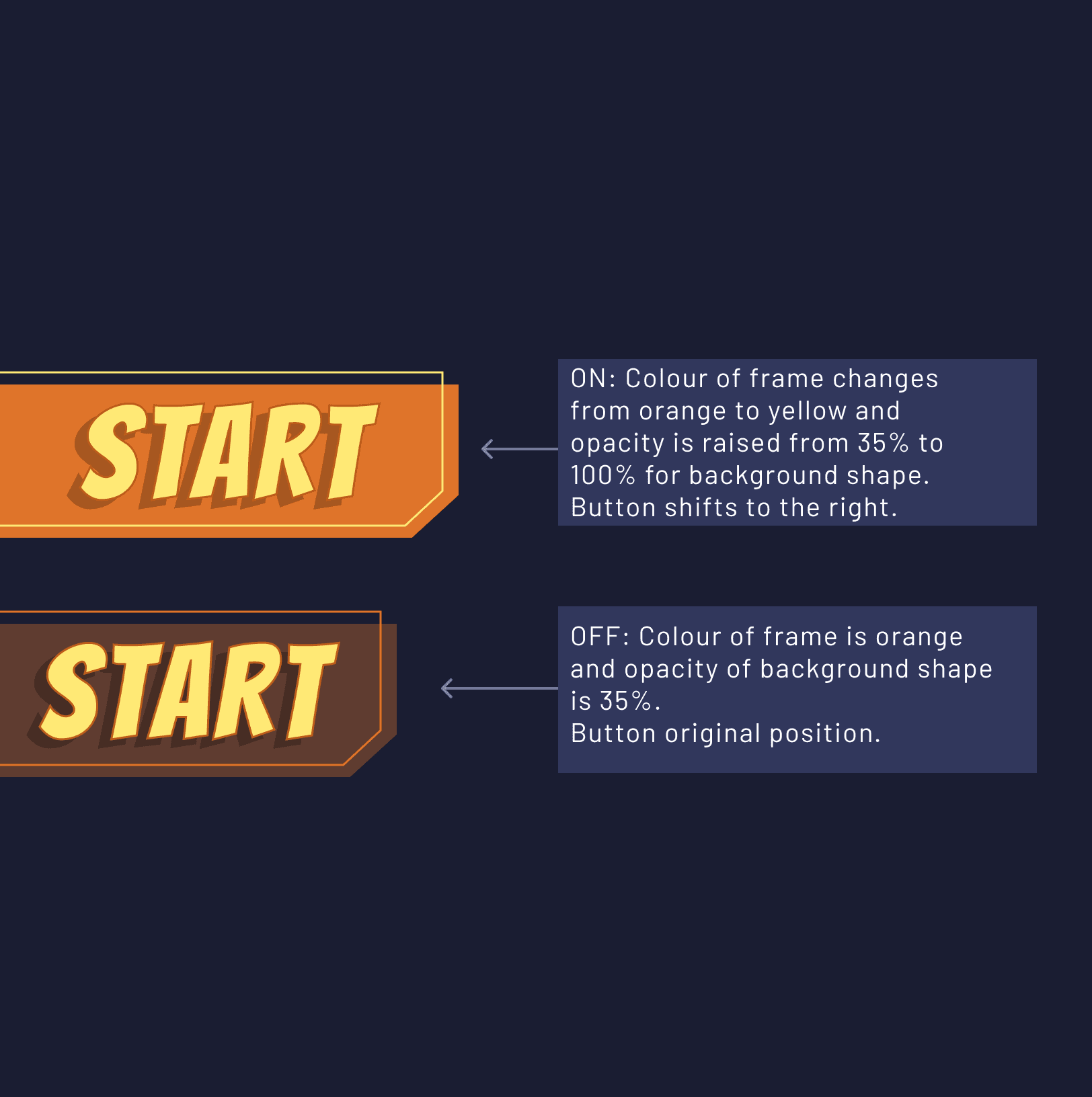
The main menu appears before anything else in the game and features a range of sections the player can navigate through. In the top left corner, players can find the leaderboard, which showcases players with the highest score. Below that is the game's title and the randomized splash texts, which change each time you open the menu. In the bios section, players can scroll through short, diegetic lore entries that expand on the player characters. Players can also find the credits, which will open up to a visual credit roll.
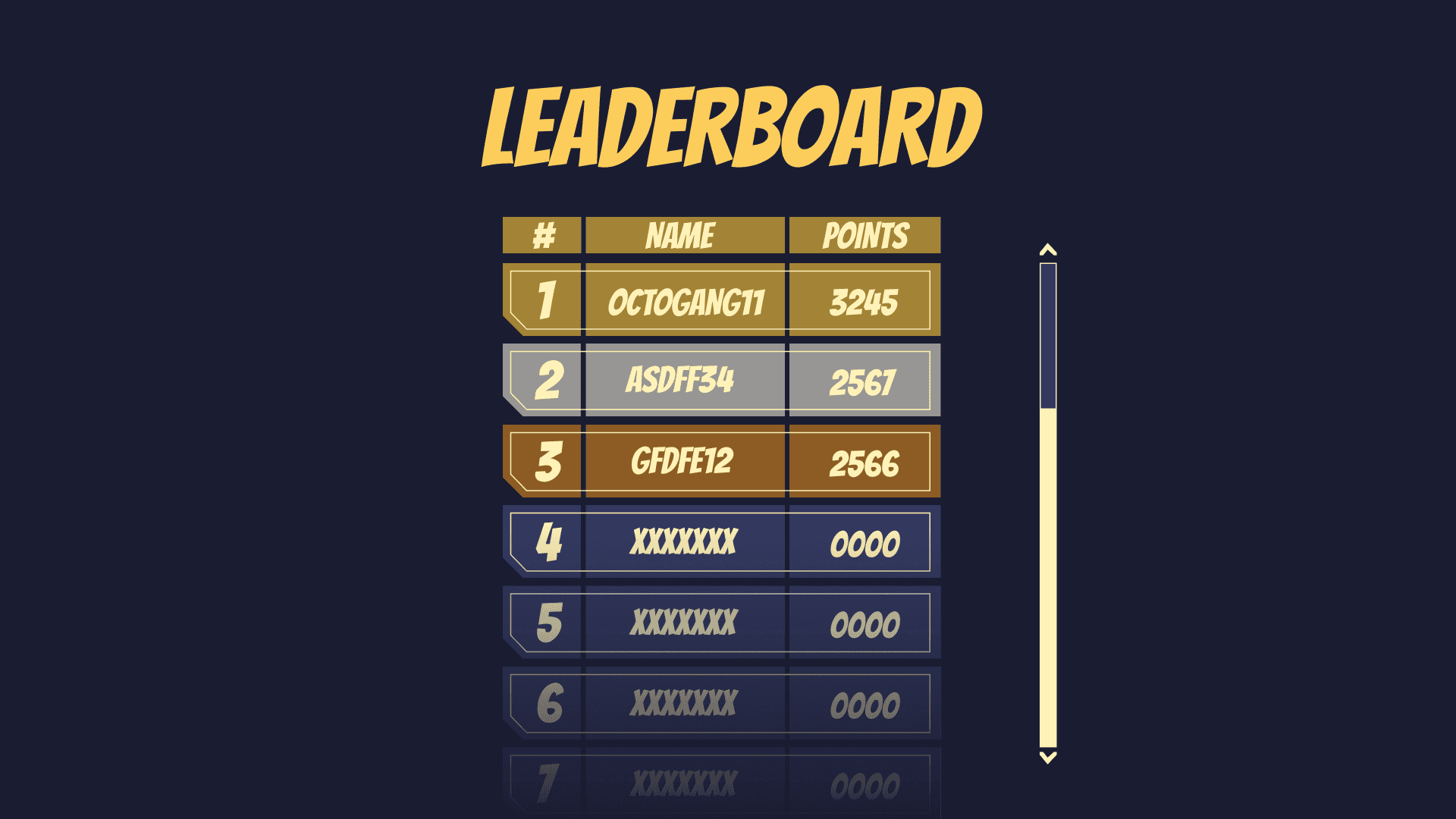
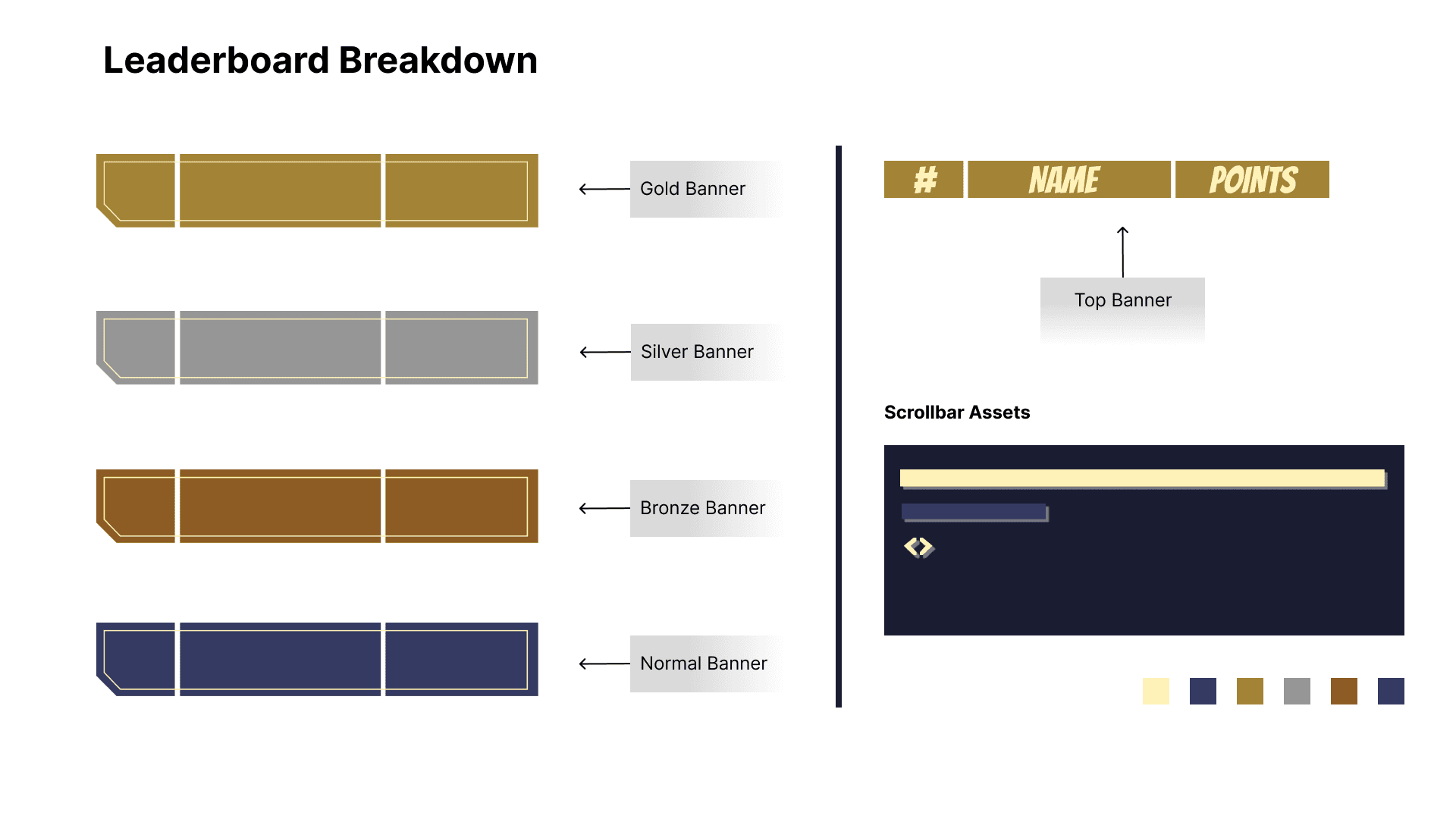
As mentioned, the leaderboard, found in the main menu, showcases the players that achieved the highest score in the game thus far, noting the top 3 players. Players can find the name, ranking, and number of points achieved. The leaderboard helps to foster the competitive and communal design goals of the game.
Case study
Design for Co-op
Design for Co-op
Design for Co-op
01 / 02
UI/UX for a 4-Player Tabletop Arcade Experience
UI/UX for a 4-Player Tabletop Arcade Experience
UI/UX for a 4-Player Tabletop Arcade Experience
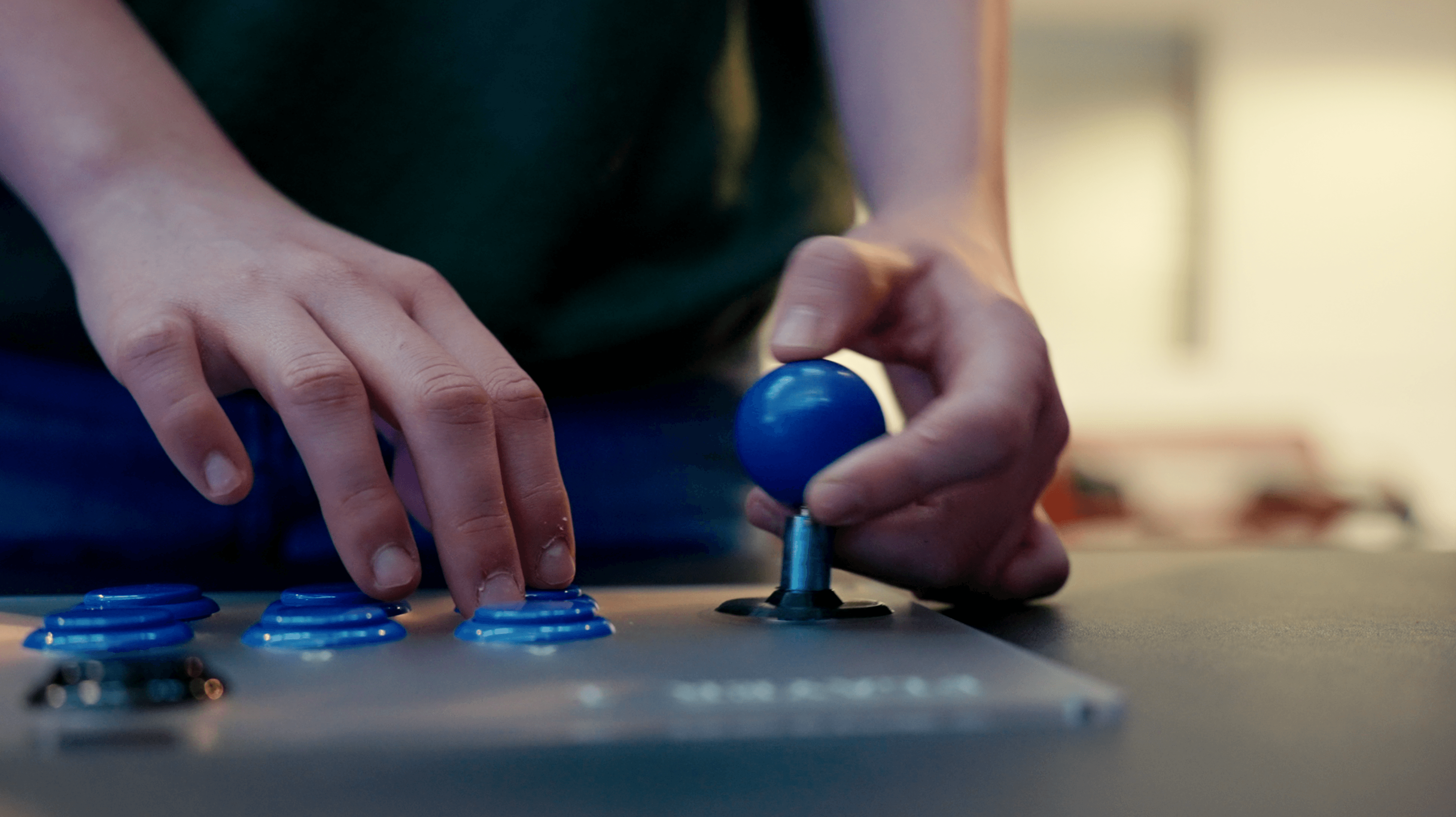
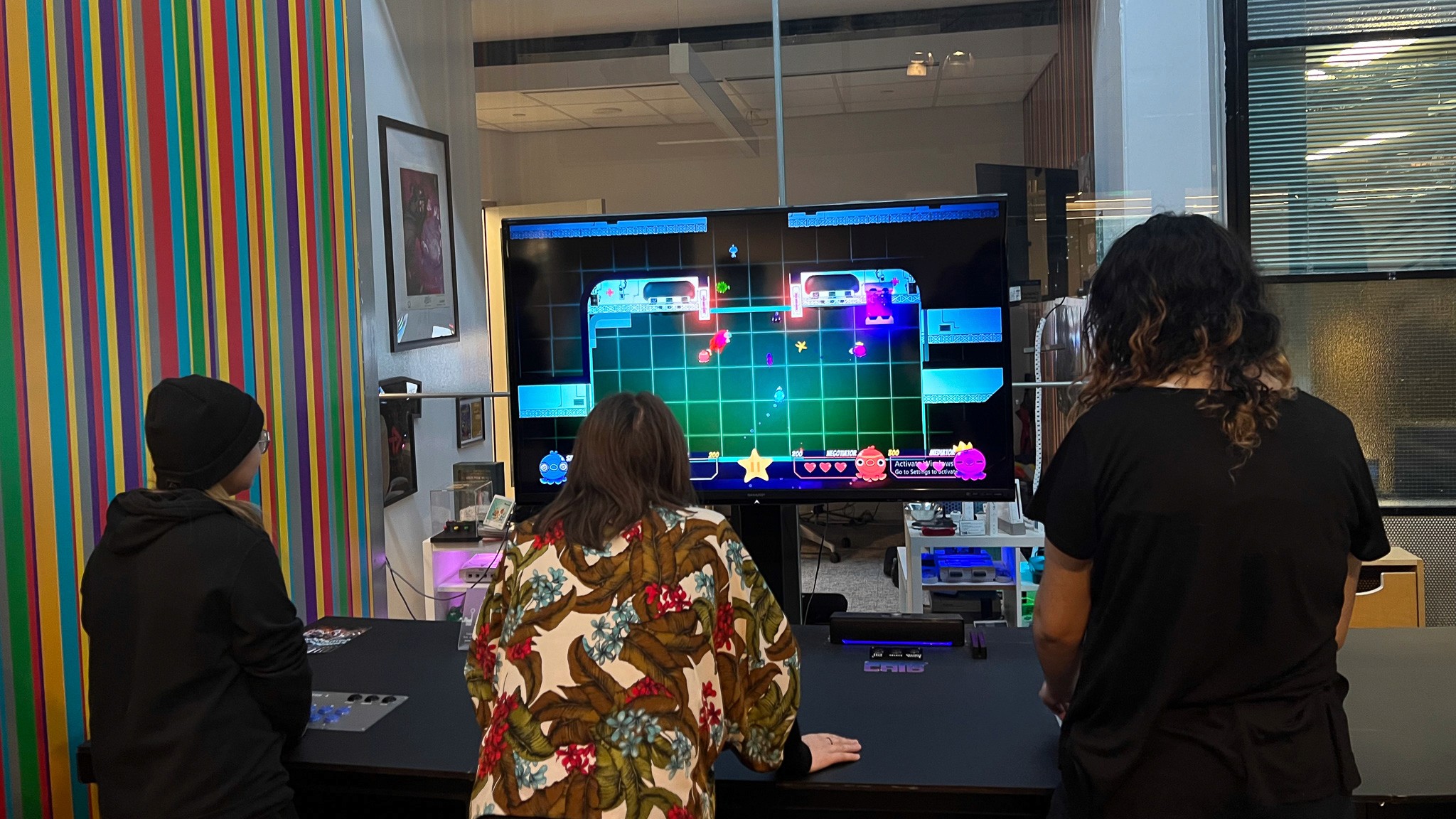
Inkyway Galaxy was developed for a custom arcade-style tabletop experience installed at Toronto Metropolitan University. Designed for up to four players positioned on each side of the table and using joysticks and physical buttons, the project required UI solutions that supported simultaneous multiplayer play, omnidirectional viewing, and fast readability during action-heavy moments.
Inkyway Galaxy was developed for a custom arcade-style tabletop experience installed at Toronto Metropolitan University. Designed for up to four players positioned on each side of the table and using joysticks and physical buttons, the project required UI solutions that supported simultaneous multiplayer play, omnidirectional viewing, and fast readability during action-heavy moments.
02 / 02
It Features…
It Features…
It Features…
Player-specific HUD zones placed on the side closest to each player’s joystick station.
Color-coded player identity system for quick recognition during chaotic moments.
Large, high-contrast text and icons designed for fast glanceability from any distance.
Minimal clutter design so the screen stayed readable even with four players interacting at once.
Clear event indicators (level pop-up, health + score)
Player-specific HUD zones placed on the side closest to each player’s joystick station.
Color-coded player identity system for quick recognition during chaotic moments.
Large, high-contrast text and icons designed for fast glanceability from any distance.
Minimal clutter design so the screen stayed readable even with four players interacting at once.
Clear event indicators (level pop-up, health + score)
CHARACTER
SELECT
CHARACTER
SELECT
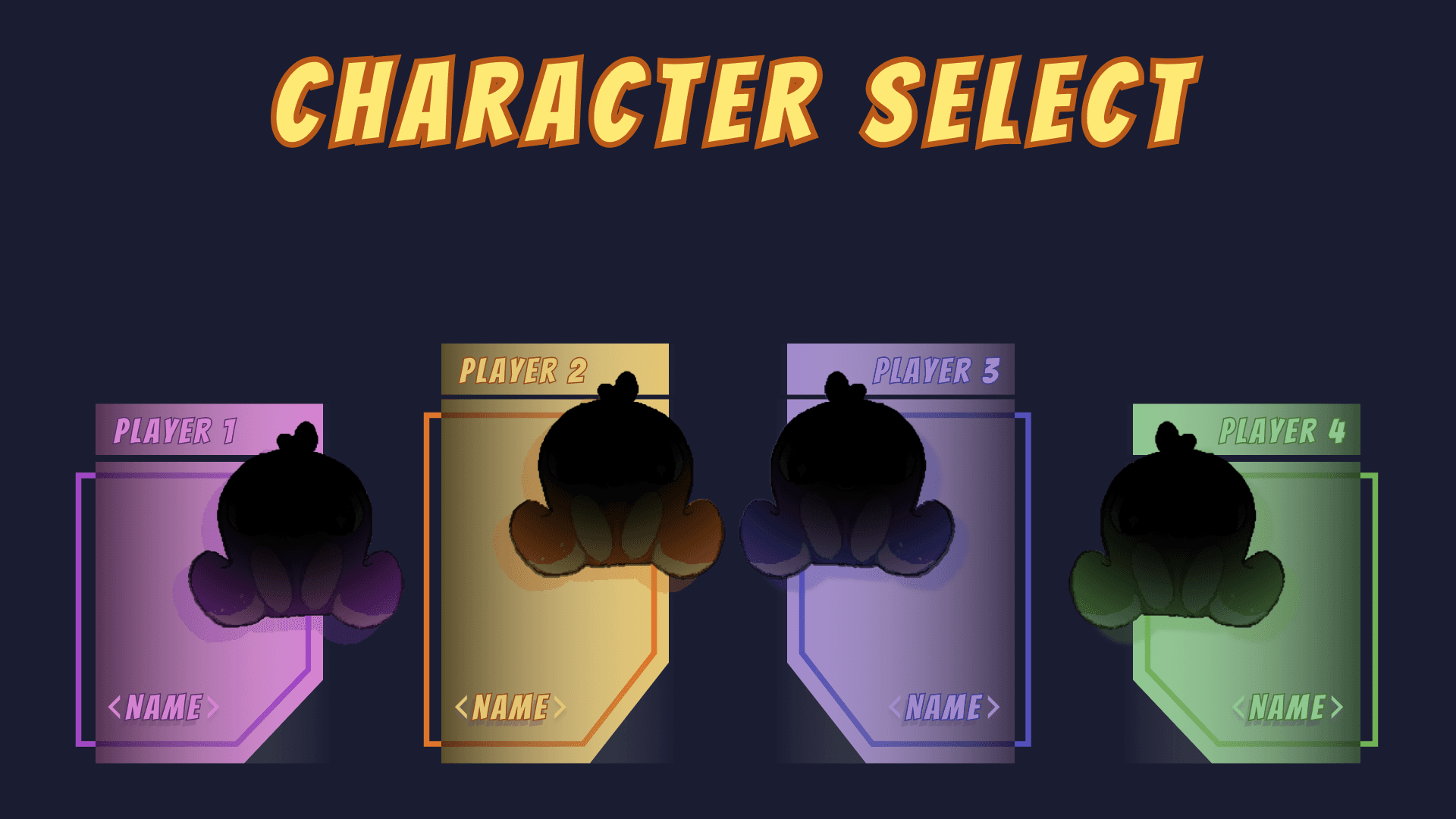
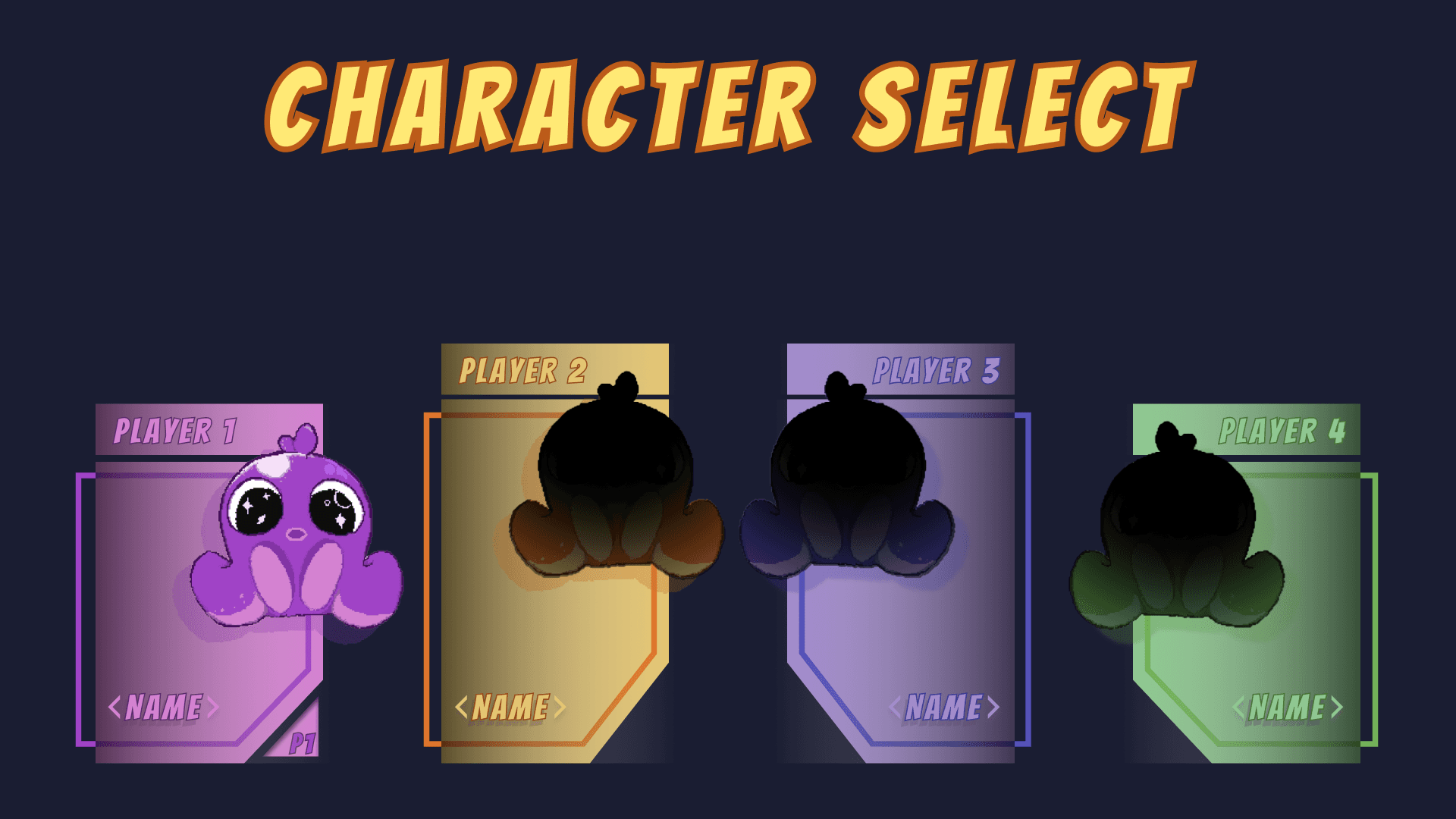
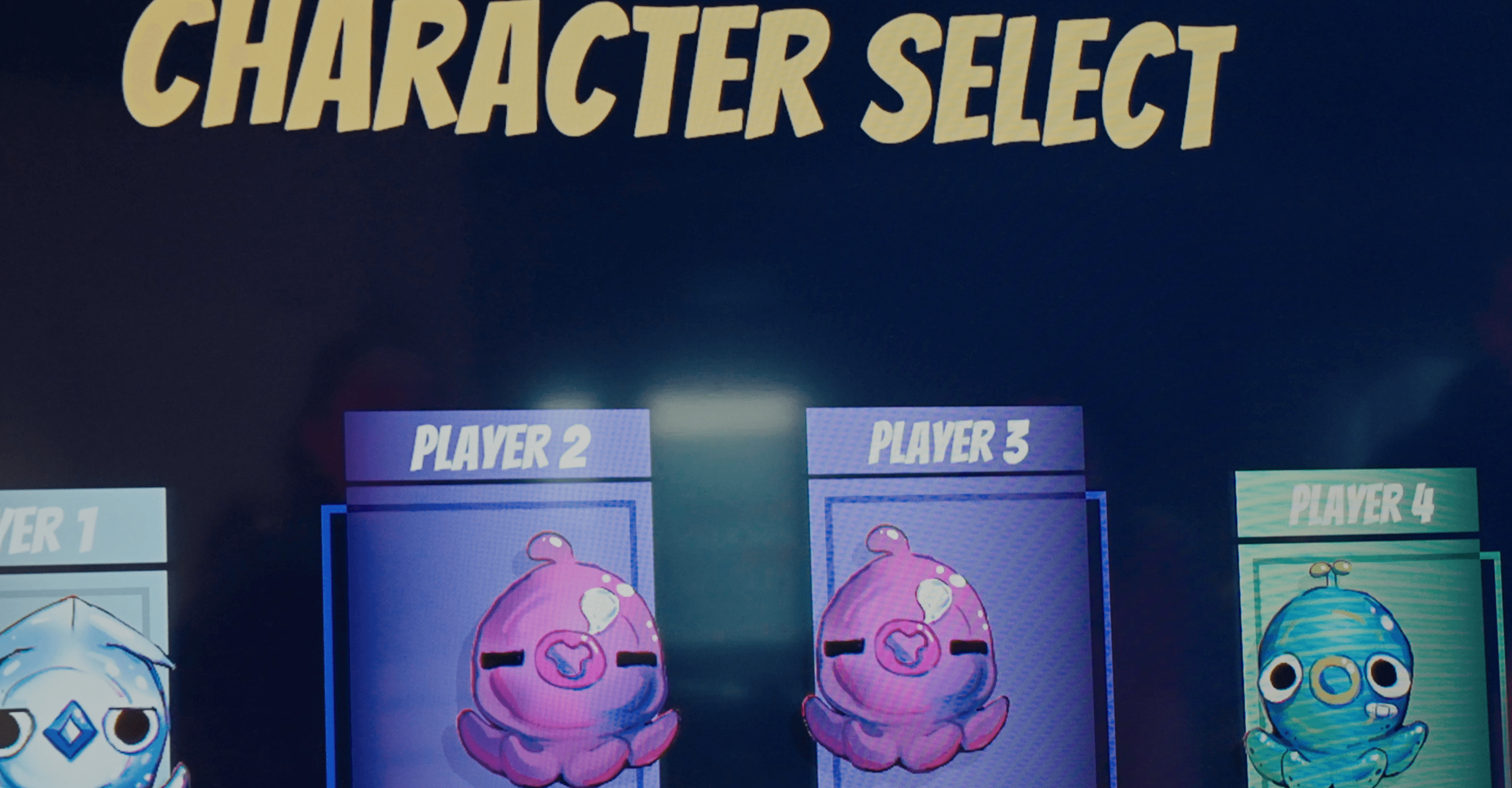
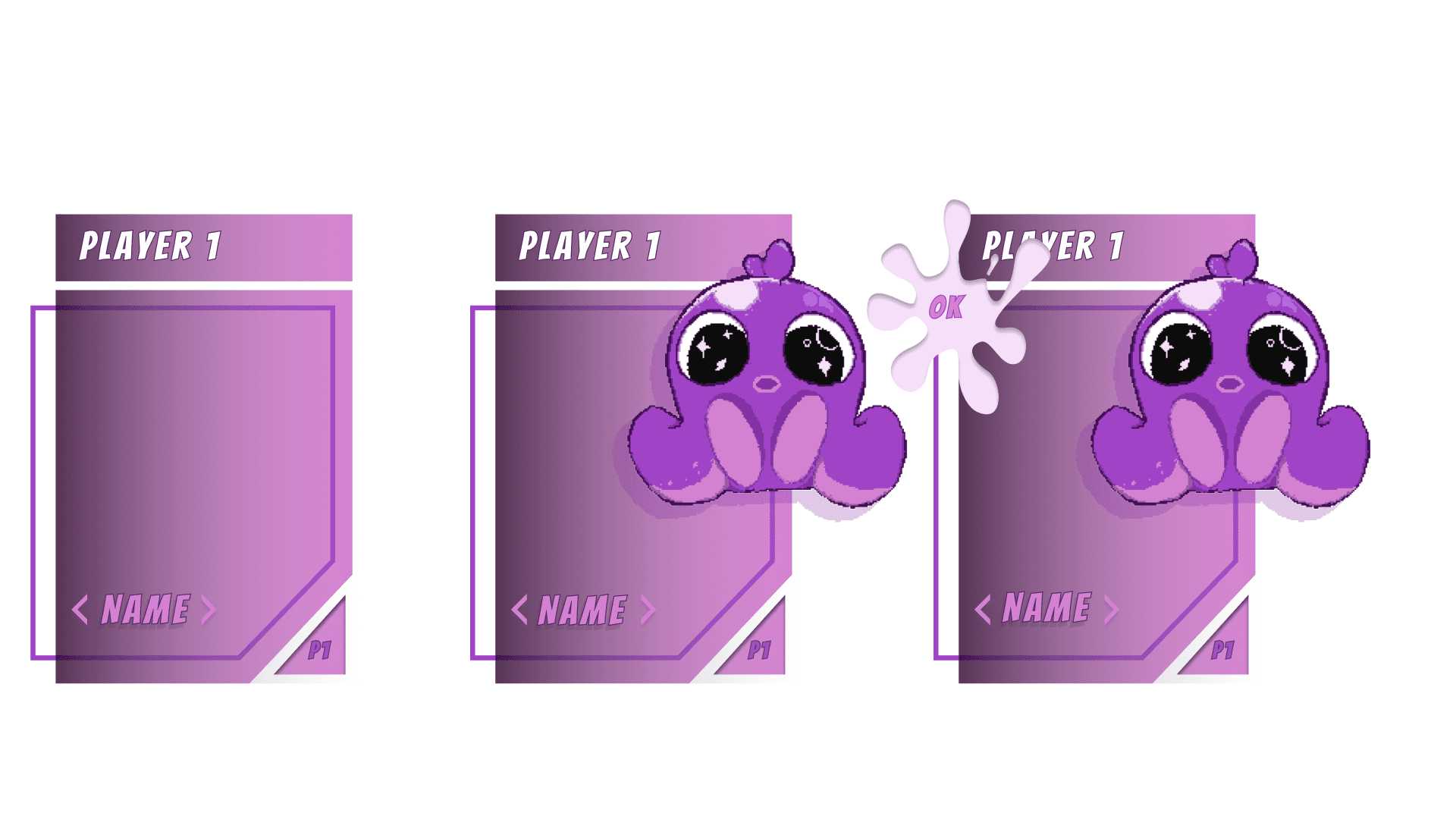
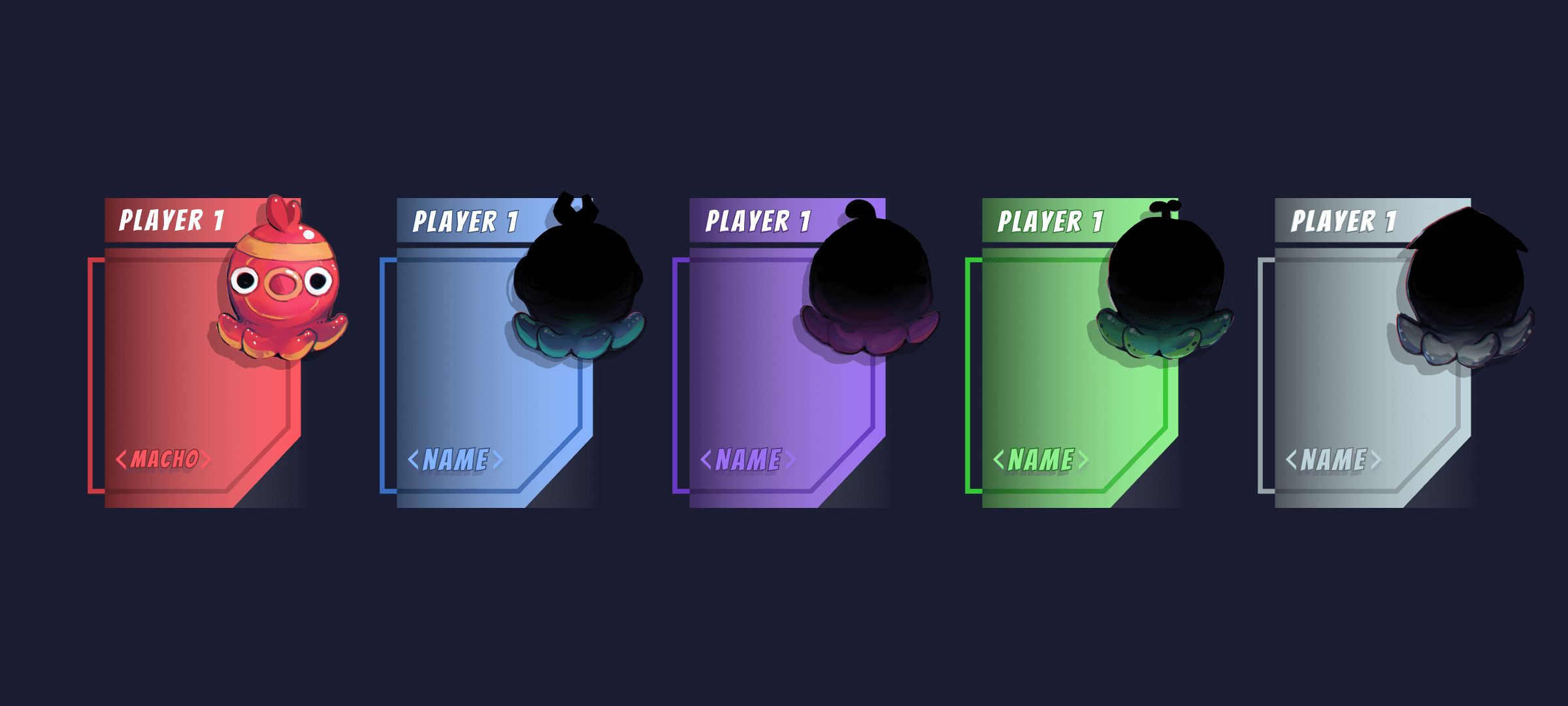
The character select menu appears before the start of the game. It allows players to cycle through the available player characters. Only one player character can be played at a time.
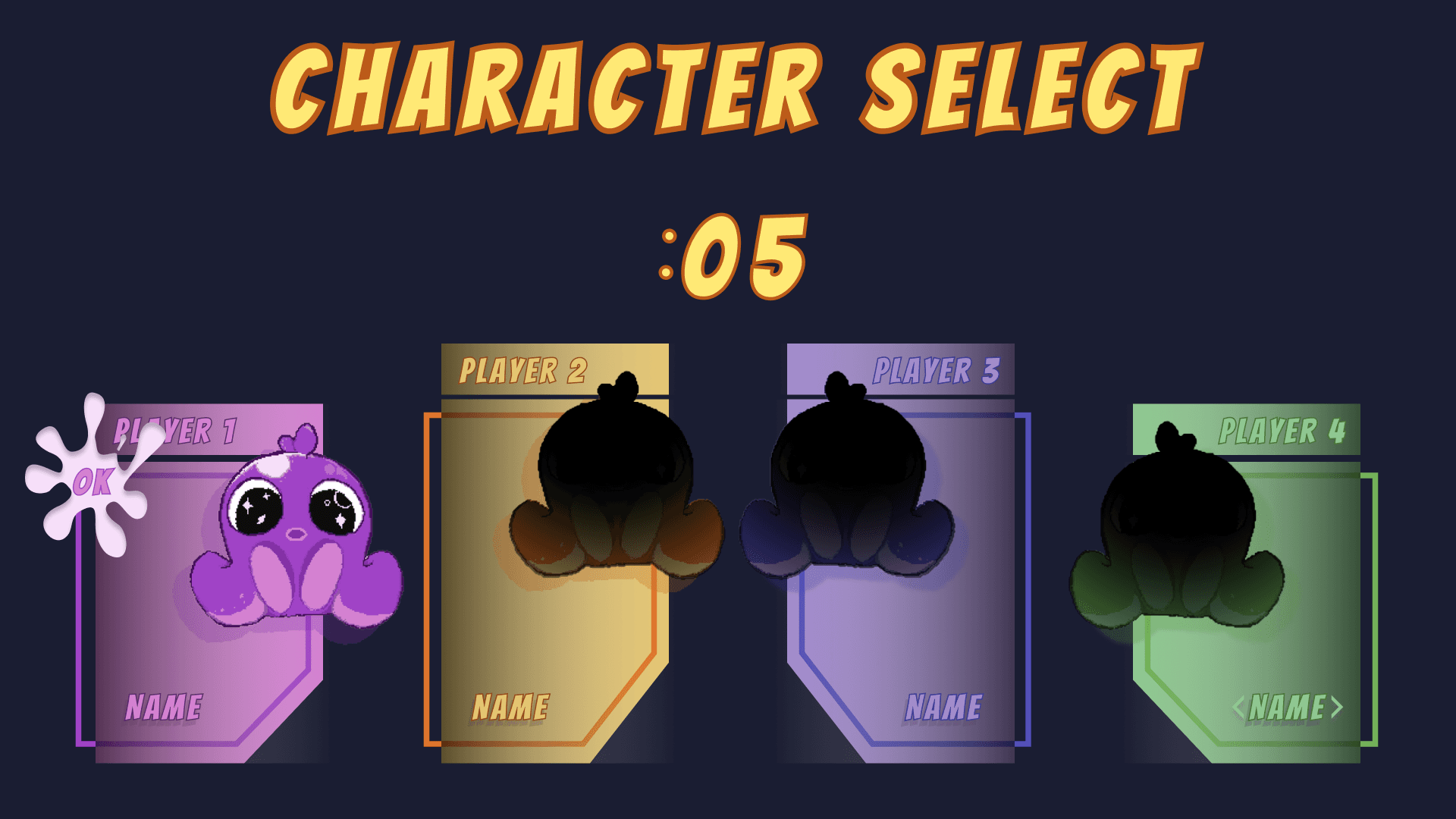
Once players confirm their selection, visualized with an ink splat ‘OK’, the game begins. After players have confirmed their selection a short timer will start, giving them the option to change their minds before the game begins.
This is a determining moment narratively, as the unselected character will become the character kidnapped in the opening cutscene. If there are less than 4 players, the cutscene will default to the canon or other unselected characters.
MAIN MENU
The user interface is designed for seamless navigation and an intuitive player experience. The cartoon-inspired, non-diegetic UI aligns with the game's aesthetic, maintaining a fun and lighthearted tone and ensuring players can fully immerse themselves.
Some inspiration for the UI comes from Marvel Avengers Alliance 2 and Pokémon GO, where thelighthearted tone is mirrored through vibrant and playful aesthetics that reflect the semi-futuristic setting of Inkway Galaxy.
The health and score indicators are prominently displayed, ensuring players can easily tracktheir progress and performance. The cooperative aspect is facilitated through a character-select screen and leaderboard, encouraging collaboration between players. Visual and auditorycues are incorporated to enhance the overall gaming experience, with music for the menusand scrolling and selection sound effects.
MAIN MENU
01 / 05
The main menu appears before anything else in the game and features a range of sections the player can navigate through. In the top left corner, players can find the leaderboard, which showcases players with the highest score. Below that is the game's title and the randomized splash texts, which change each time you open the menu. In the bios section, players can scroll through short, diegetic lore entries that expand on the player characters. Players can also find the credits, which will open up to a visual credit roll.
MAIN MENU - BUTTONs
02 / 05
03 / 05
CHARACTER LORE
As mentioned, the leaderboard, found in the main menu, showcases the players that achieved the highest score in the game thus far, noting the top 3 players. Players can find the name, ranking, and number of points achieved. The leaderboard helps to foster the competitive and communal design goals of the game.
LEADERBOARD
04 / 05
BREAKDOWN
05 / 05
GAMEPLAY
GAMEPLAY
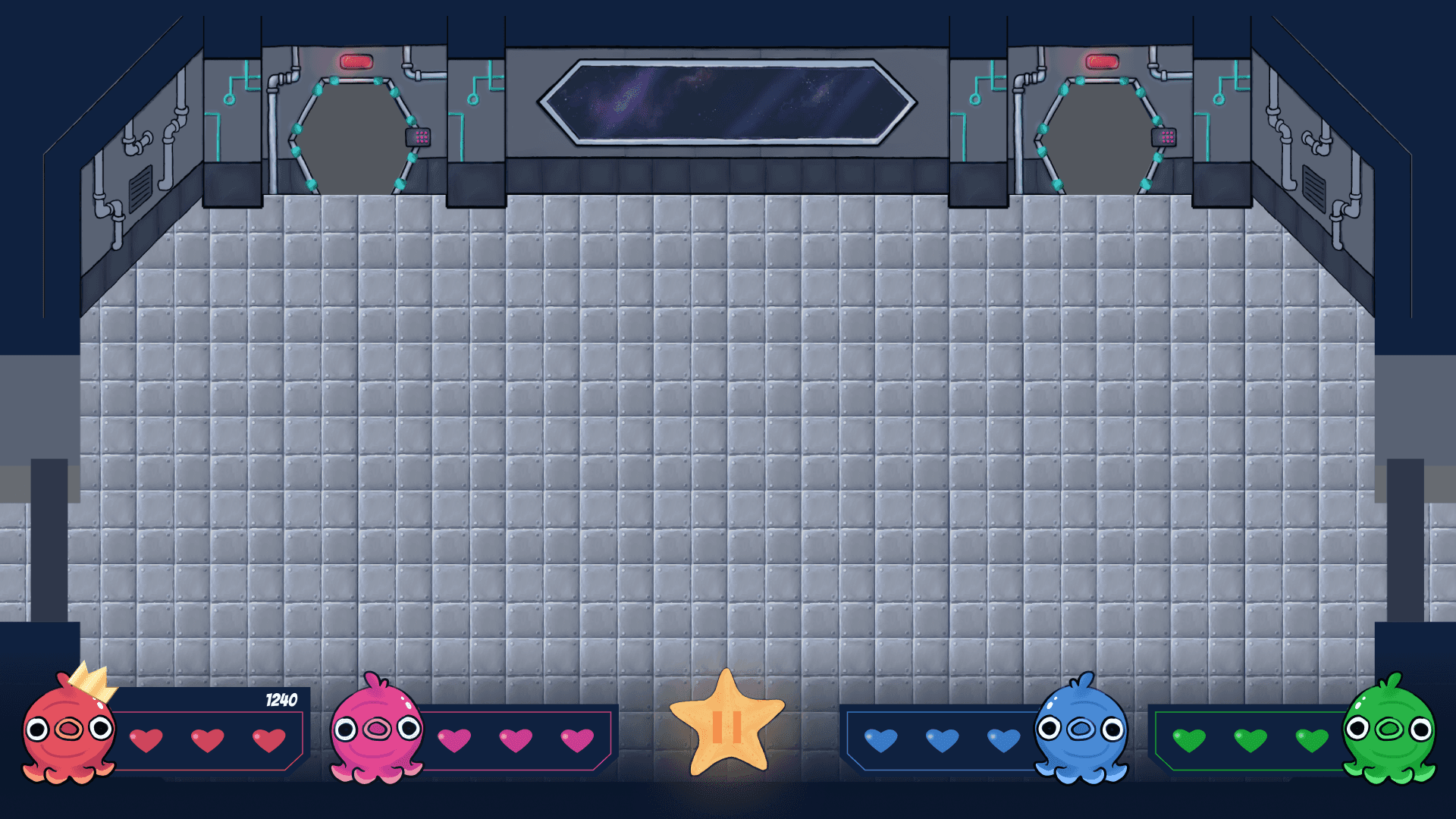
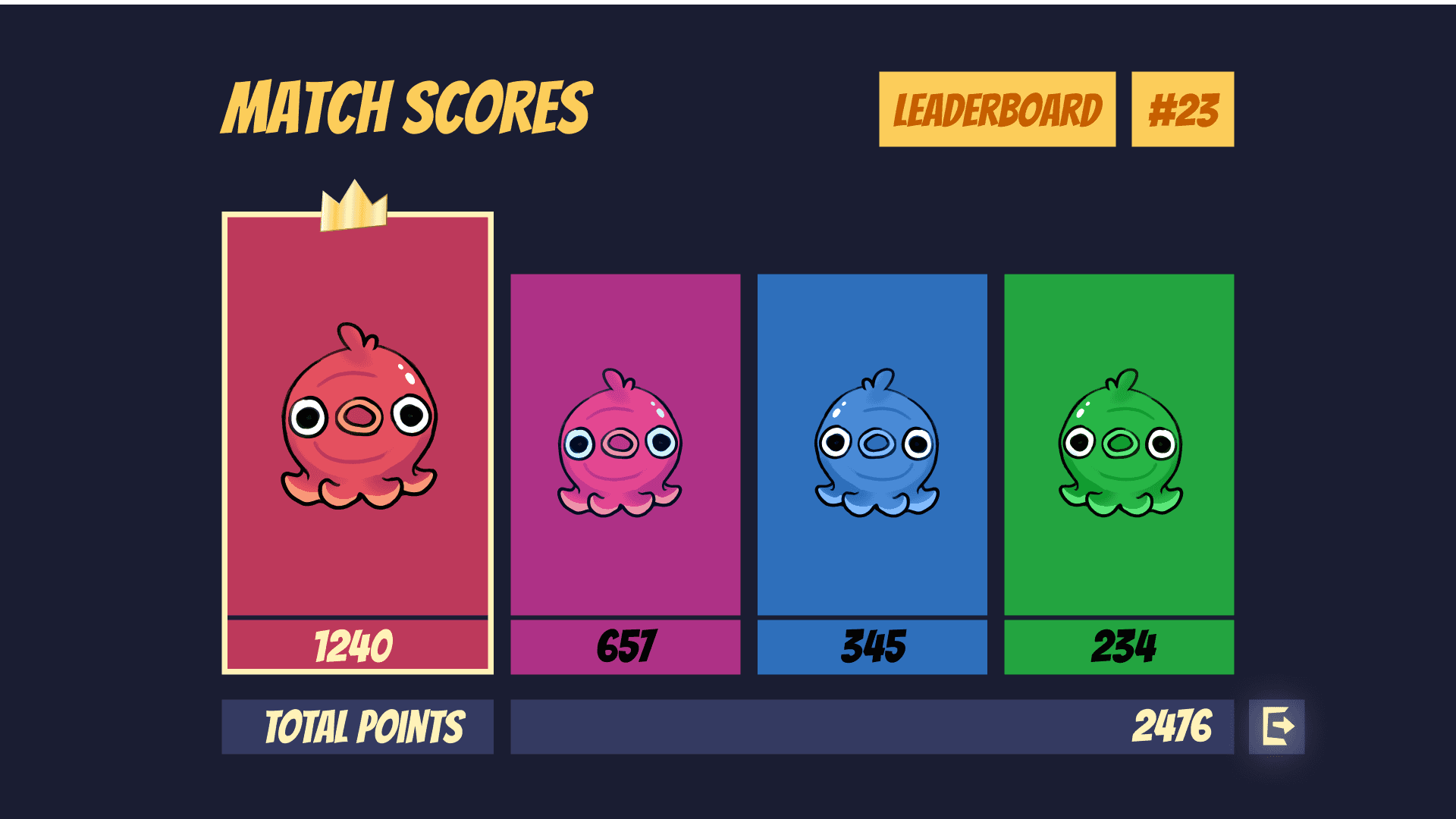
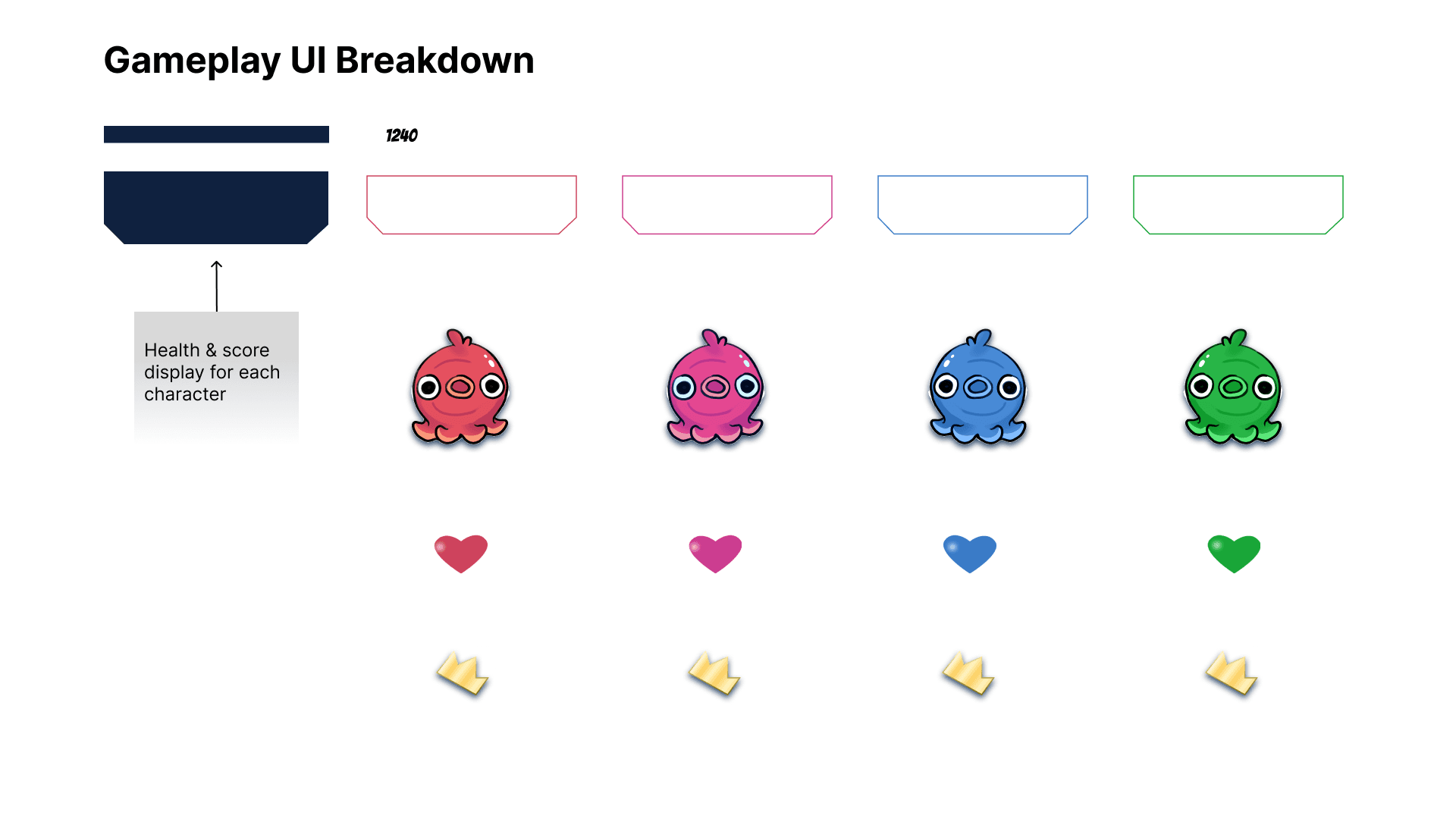
The UI featured during gameplay is relatively simple and limited to not distract or overwhelm players and keep them engaged in the fast-paced gameplay. The heads-up display features the health and score for each player at the bottom of the screen.
The frame and health colours will match the colours of the character. To denote which player has the most points, a crown will appear over their character in the HUD and in the gameplay.
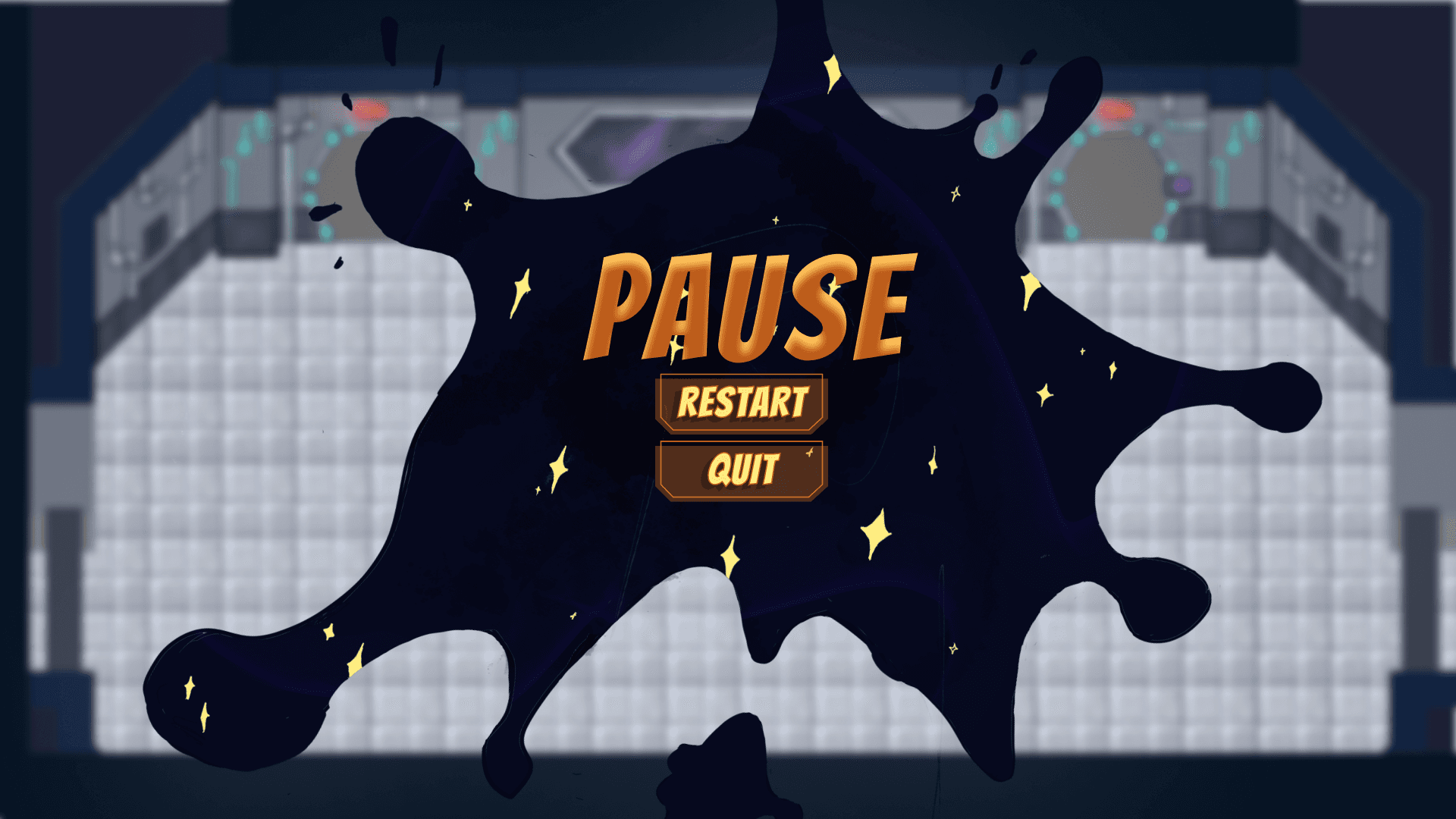
During gameplay, players have the option to pause, which will bring up a screen showing which player paused and the option to resume or quit the game.
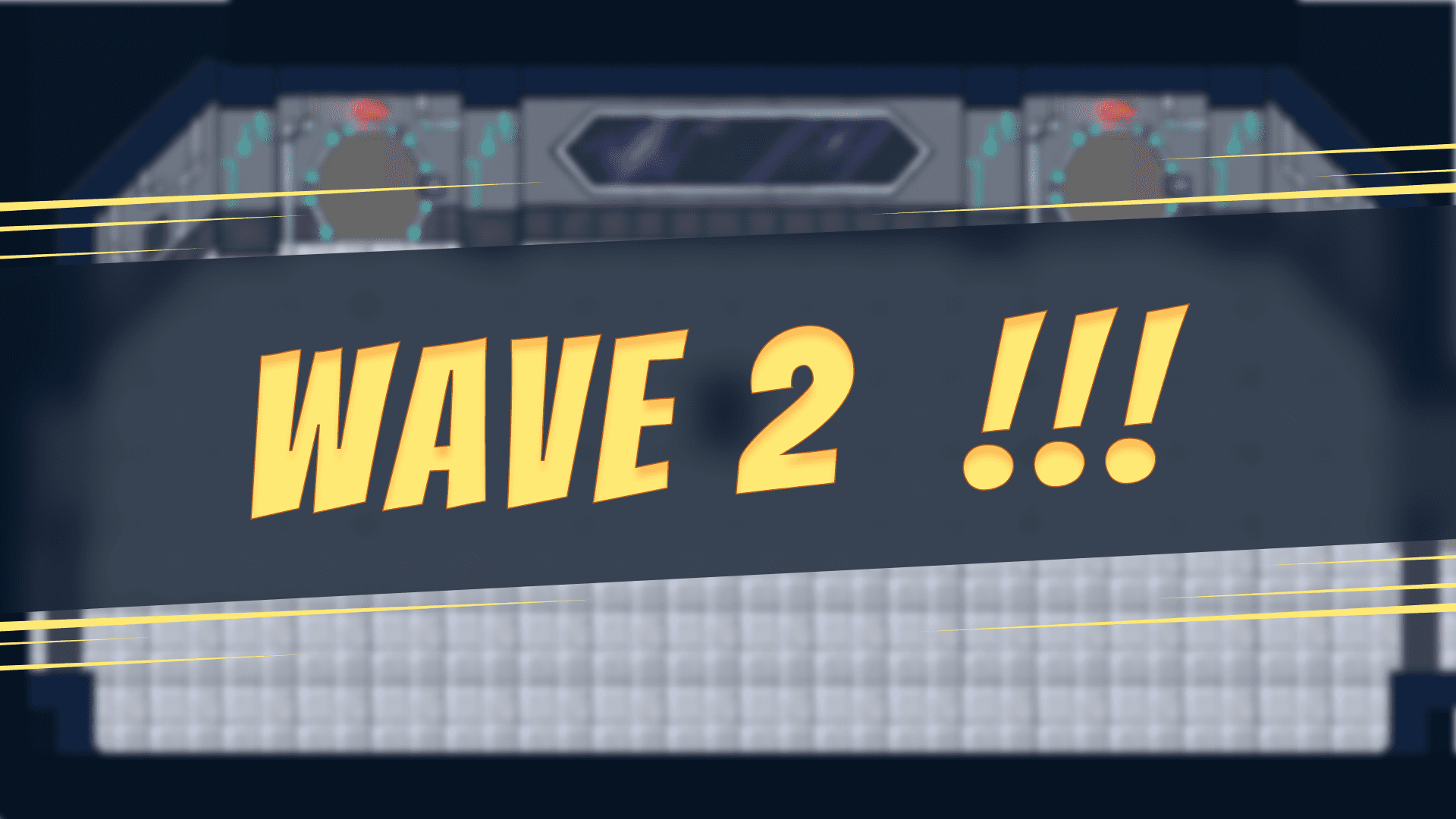
In between waves, a wave banner will appear. This helps players keep track of their progress by showing them when they’ve completed a wave. It also gives players a short break from the fast-paced gameplay.
CHARACTER
SELECT
CHARACTER SELECT
01 / 05
CHARACTER SELECT - PICK YOUR CHARACTER
02 / 05
CHARACTER SELECT - CONFIRM SELECTION
03 / 05
The character select menu appears before the start of the game. It allows players to cycle through the available player characters. Only one player character can be played at a time.
Once players confirm their selection, visualized with an ink splat ‘OK’, the game begins. After players have confirmed their selection a short timer will start, giving them the option to change their minds before the game begins.
This is a determining moment narratively, as the unselected character will become the character kidnapped in the opening cutscene. If there are less than 4 players, the cutscene will default to the canon or other unselected characters.
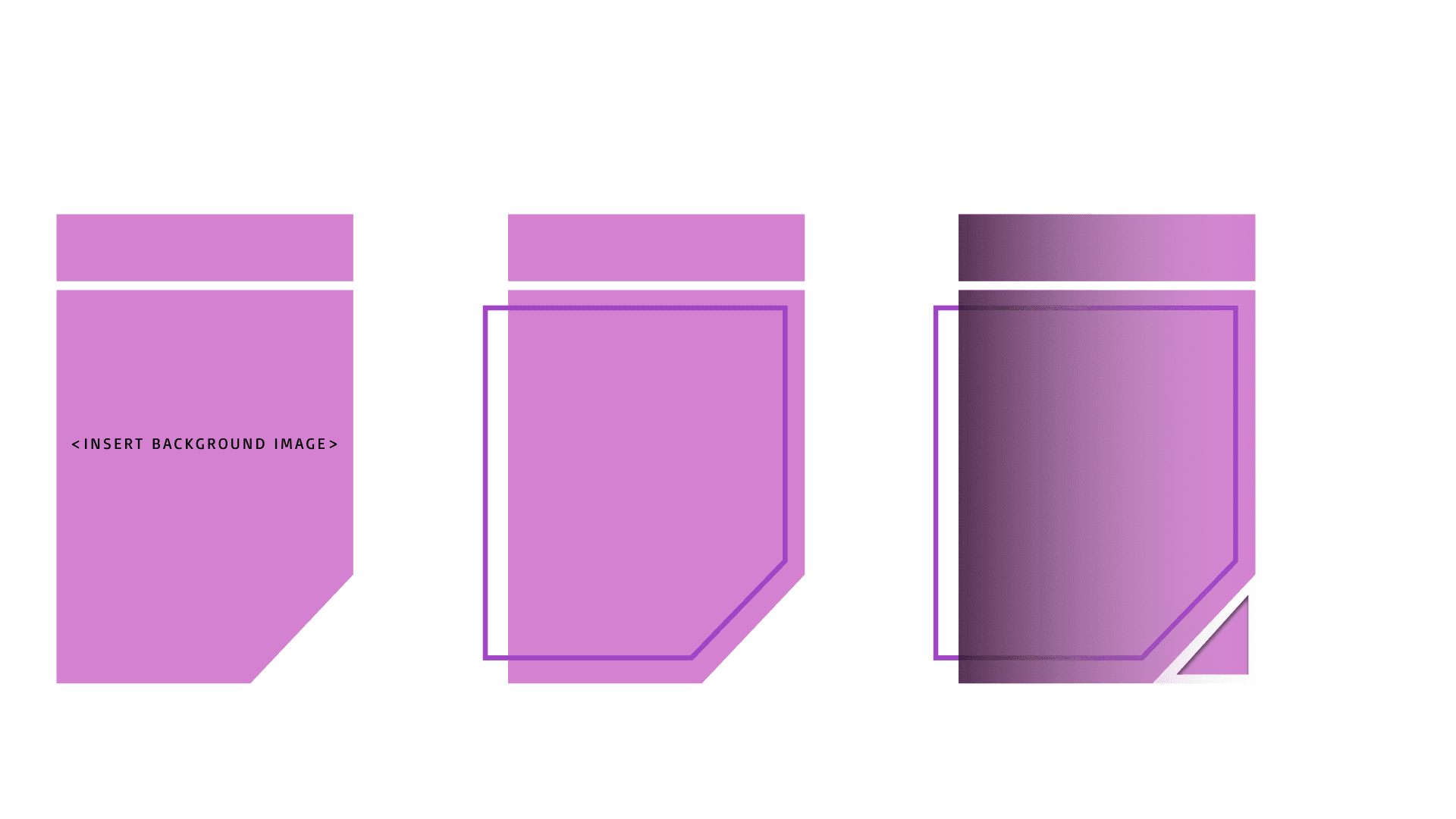
CHARACTER SELECT BREAKDOWN
04 / 05
FINAL VERSION
05 / 05
GAMEPLAY
The UI featured during gameplay is relatively simple and limited to not distract or overwhelm players and keep them engaged in the fast-paced gameplay. The heads-up display features the health and score for each player at the bottom of the screen.
The frame and health colours will match the colours of the character. To denote which player has the most points, a crown will appear over their character in the HUD and in the gameplay.
During gameplay, players have the option to pause, which will bring up a screen showing which player paused and the option to resume or quit the game.
In between waves, a wave banner will appear. This helps players keep track of their progress by showing them when they’ve completed a wave. It also gives players a short break from the fast-paced gameplay.
HUD
01 / 06
PAUSE MENU
02 / 06
WAVE ANIMATION
03 / 06
MATCH SCORES
04 / 06
gAMEPLAY UI BREAKDOWN
05 / 06