
Overview
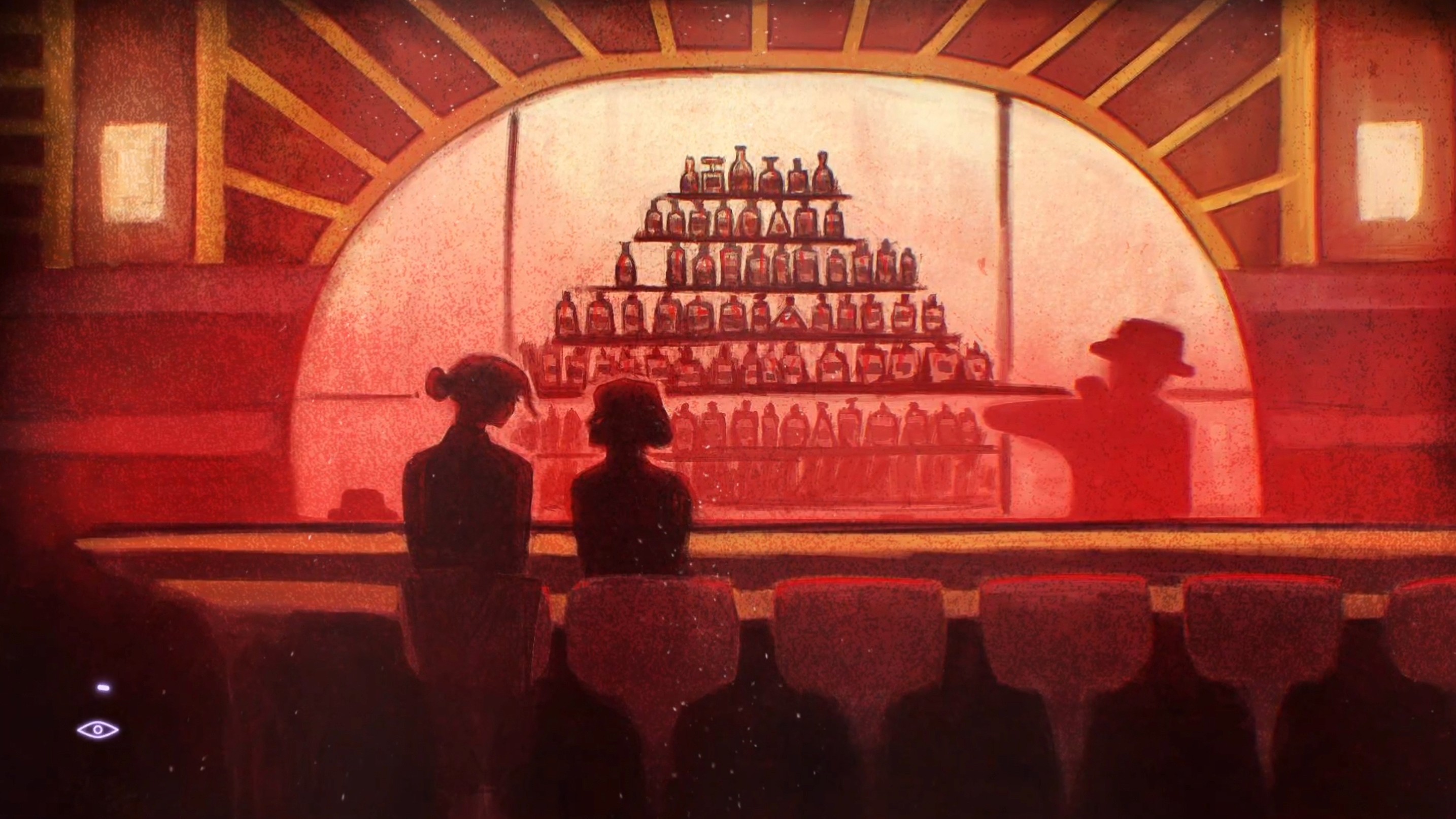
Blackwood is a 3D first-person retro-futuristic RPG focusing on puzzles and exploration. Blackwood takes inspiration from detective noir, cyberpunk, and neo-western aesthetics. In an ode to the height noir time period (1910-1940), the environments and characters are stylized to emulate the art nouveau movement from 1890-1910.
Blackwood is a 3D first-person retro-futuristic RPG focusing on puzzles and exploration. Blackwood takes inspiration from detective noir, cyberpunk, and neo-western aesthetics. In an ode to the height noir time period (1910-1940), the environments and characters are stylized to emulate the art nouveau movement from 1890-1910.
Blackwood is a 3D first-person retro-futuristic RPG focusing on puzzles and exploration. Blackwood takes inspiration from detective noir, cyberpunk, and neo-western aesthetics. In an ode to the height noir time period (1910-1940), the environments and characters are stylized to emulate the art nouveau movement from 1890-1910.
Built with
Unreal Engine 5
Blueprints
Figma
Adobe Illustrator
After Effects
Role
Lead UI/UX Designer
Scope
UI/UX design, technical UI, motion graphics
Team
Apologue Studio - Student team recruited across programs
Context
Practicum project
Case study
UI Design
UI Design
UI Design
Seven systems I designed for Blackwood. Jump to any of them, or scroll through in order. Click a screenshot to view it full size.
01 / 07
Art Direction and Visual Design
Art Direction and Visual Design
Art Direction and Visual Design
Blackwood’s gameplay and player experience are shaped around five core pillars: sensation, fantasy, narrative, discovery, and intellectual challenge. Every visual and interaction choice supports an immersive world where storytelling, atmosphere, and puzzle-solving work together to engage players on multiple levels.
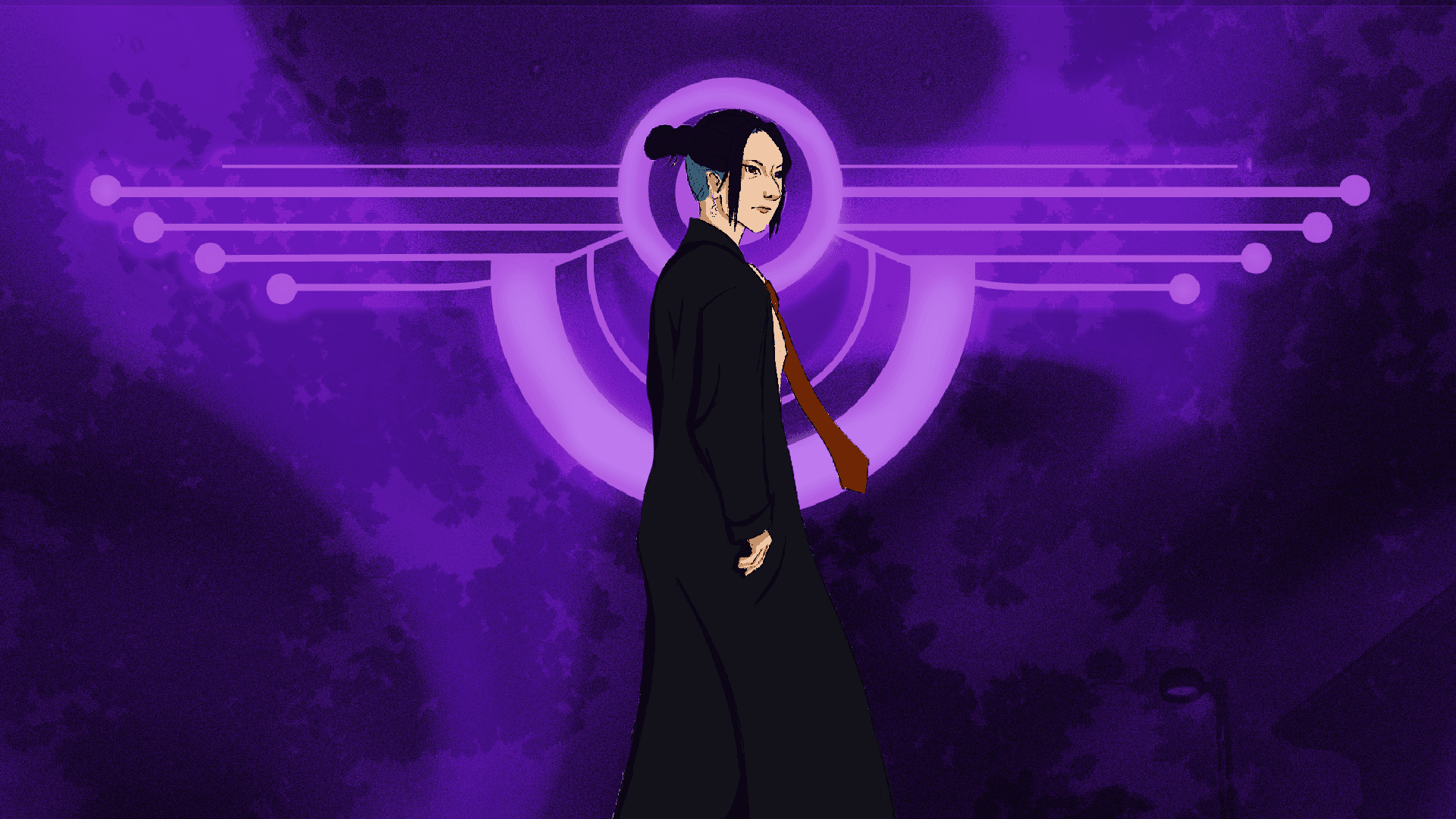
The interface draws from the game’s broader art influences (Art Nouveau, Detective Noir, and Sci-Fi) but translates them into a clean, modern presentation style. The UI prioritizes clarity, hierarchy, and usability, with stylistic touches that subtly reflect the world without overwhelming it. Soft gradients to create depth while maintaining a sleek, contemporary feel. High-contrast typography for readability across dark and atmospheric backdrops.
Blackwood’s gameplay and player experience are shaped around five core pillars: sensation, fantasy, narrative, discovery, and intellectual challenge. Every visual and interaction choice supports an immersive world where storytelling, atmosphere, and puzzle-solving work together to engage players on multiple levels.
The interface draws from the game’s broader art influences (Art Nouveau, Detective Noir, and Sci-Fi) but translates them into a clean, modern presentation style. The UI prioritizes clarity, hierarchy, and usability, with stylistic touches that subtly reflect the world without overwhelming it. Soft gradients to create depth while maintaining a sleek, contemporary feel. High-contrast typography for readability across dark and atmospheric backdrops.
02 / 07
Inventory
Inventory
Inventory
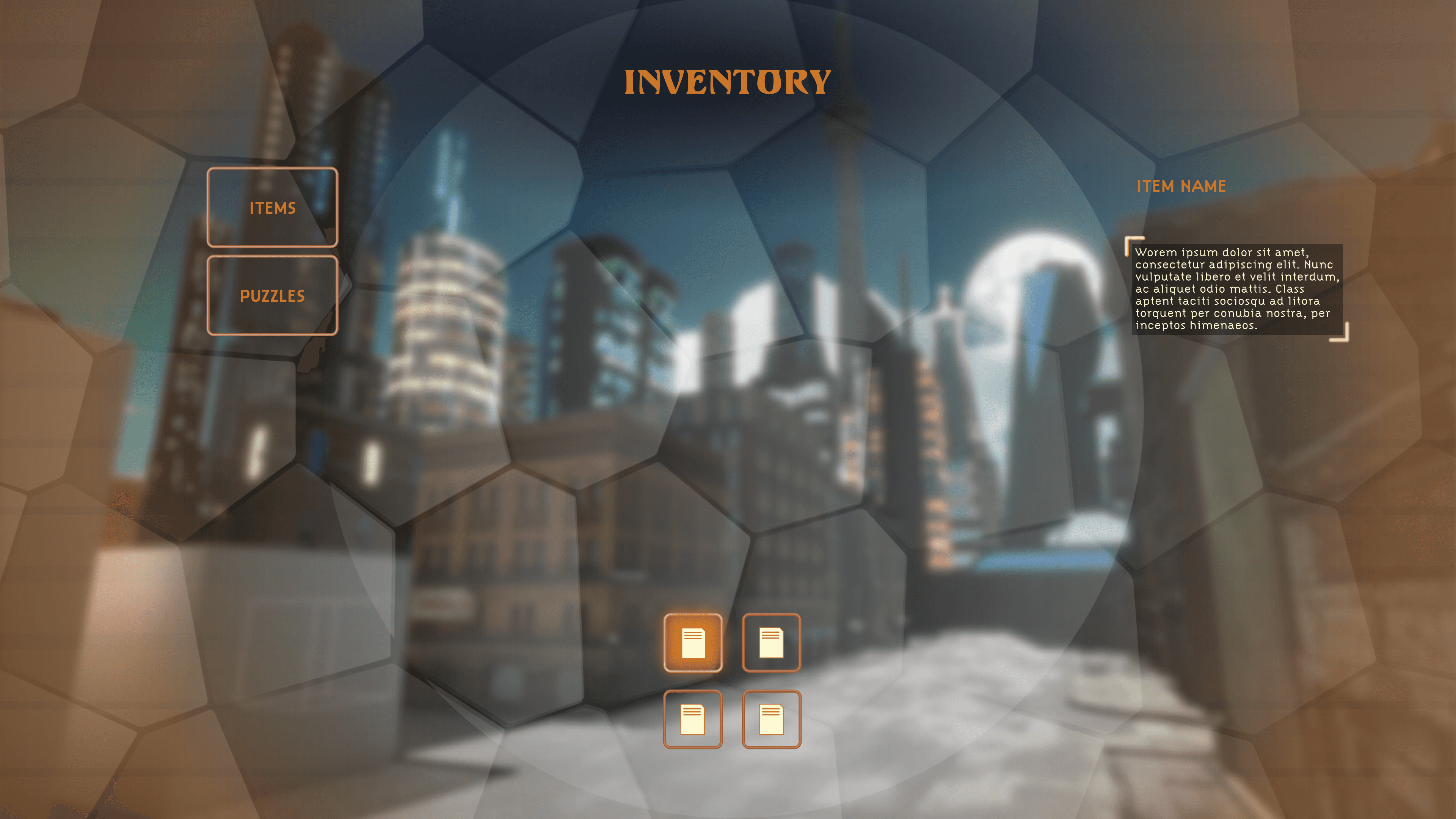
The game features an inventory system that allows players to collect, view and interact with collected gameplay items obtained during gameplay. Accessed by hot swapping (number keys), players can select an item to ‘Use (X)’ in gameplay to solve puzzles or ‘Inspect(E)’ and ‘Rotate (Left Mouse)’ for hidden clues.
The game features an inventory system that allows players to collect, view and interact with collected gameplay items obtained during gameplay. Accessed by hot swapping (number keys), players can select an item to ‘Use (X)’ in gameplay to solve puzzles or ‘Inspect(E)’ and ‘Rotate (Left Mouse)’ for hidden clues.
Final in-game UI

Wireframe
03 / 07
Dialogue & Choices
Dialogue & Choices
Dialogue & Choices
Dialogue appears in various forms throughout the game: ambiently, in cutscenes, and in a conversation state.
Dialogue appears in various forms throughout the game: ambiently, in cutscenes, and in a conversation state.
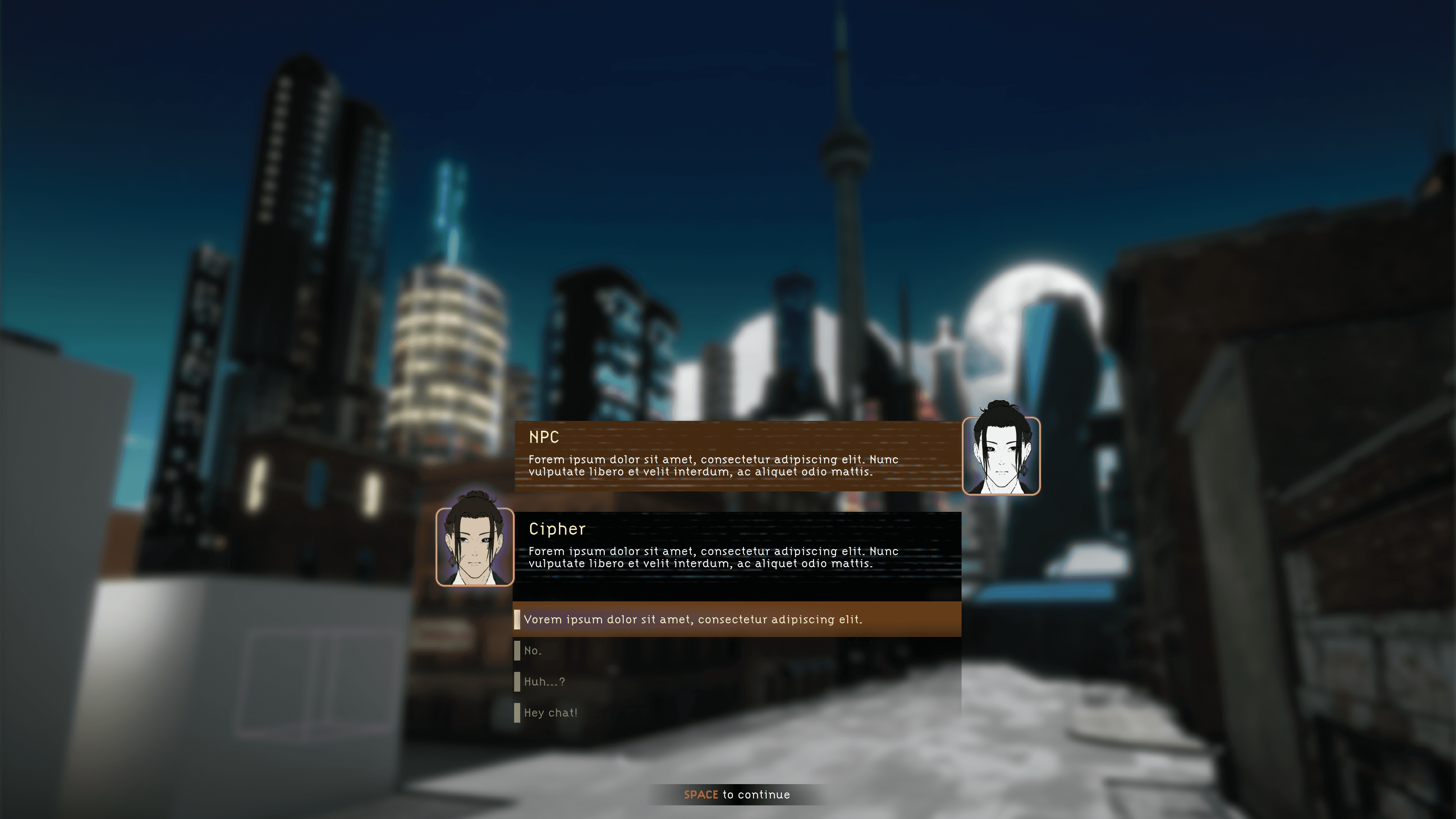
Final in-game UI

Wireframe
04 / 07
The Notebook
The Notebook
The Notebook
Cipher’s police notebook is a diegetic tool that records, in Cipher’s writing, various aspects of the game. Pressing the ‘J’ key or via the menu system, the notebook contains Cipher’s Log and tracks all Tasks, Clues, and lexia players find throughout the game. This is a visual representation of the player’s progress in the game that can be consulted when the player needs to reference previously received information.
Cipher’s police notebook is a diegetic tool that records, in Cipher’s writing, various aspects of the game. Pressing the ‘J’ key or via the menu system, the notebook contains Cipher’s Log and tracks all Tasks, Clues, and lexia players find throughout the game. This is a visual representation of the player’s progress in the game that can be consulted when the player needs to reference previously received information.
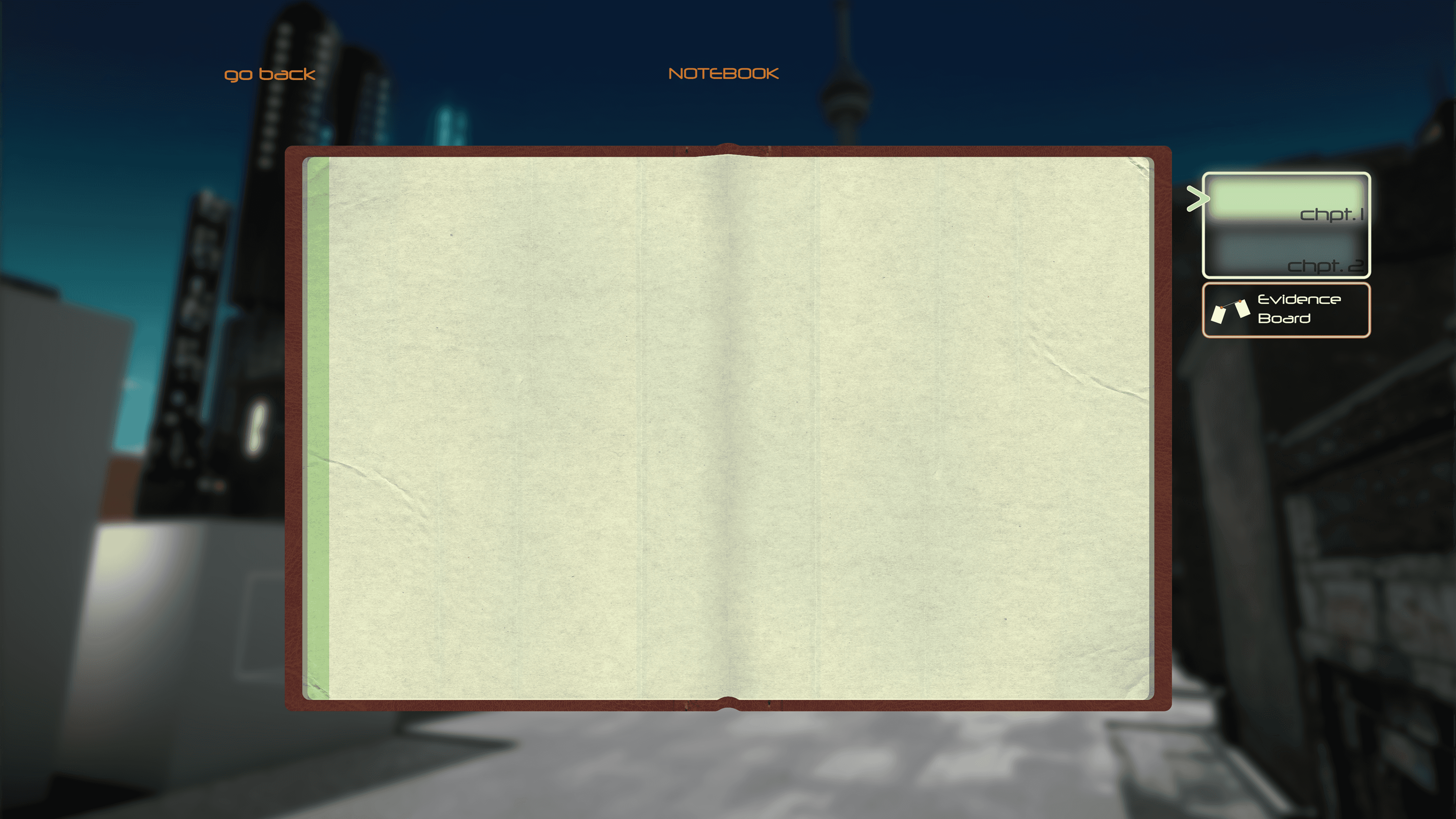
Final in-game UI

Wireframe
05 / 07
Ocular Implant
Ocular Implant
Ocular Implant
The Ocular Implant is a tool that helps Cipher navigate the world. Pressing ‘Q’ to toggle the implant on and off. With the implant on, Cipher can see more details in the world that can help them solve puzzles, reveal more clues, or unlock additional object interaction.
Other abilities manifest throughout the game’s narrative, such as blacklight vision, thermal vision, view into other people’s implants, etc.
Pictures can be analyzed using the ocular implant to find hidden clues and evidence.
The Ocular Implant is a tool that helps Cipher navigate the world. Pressing ‘Q’ to toggle the implant on and off. With the implant on, Cipher can see more details in the world that can help them solve puzzles, reveal more clues, or unlock additional object interaction.
Other abilities manifest throughout the game’s narrative, such as blacklight vision, thermal vision, view into other people’s implants, etc.
Pictures can be analyzed using the ocular implant to find hidden clues and evidence.
06 / 07
Bookshelf Puzzle
Bookshelf Puzzle
Bookshelf Puzzle
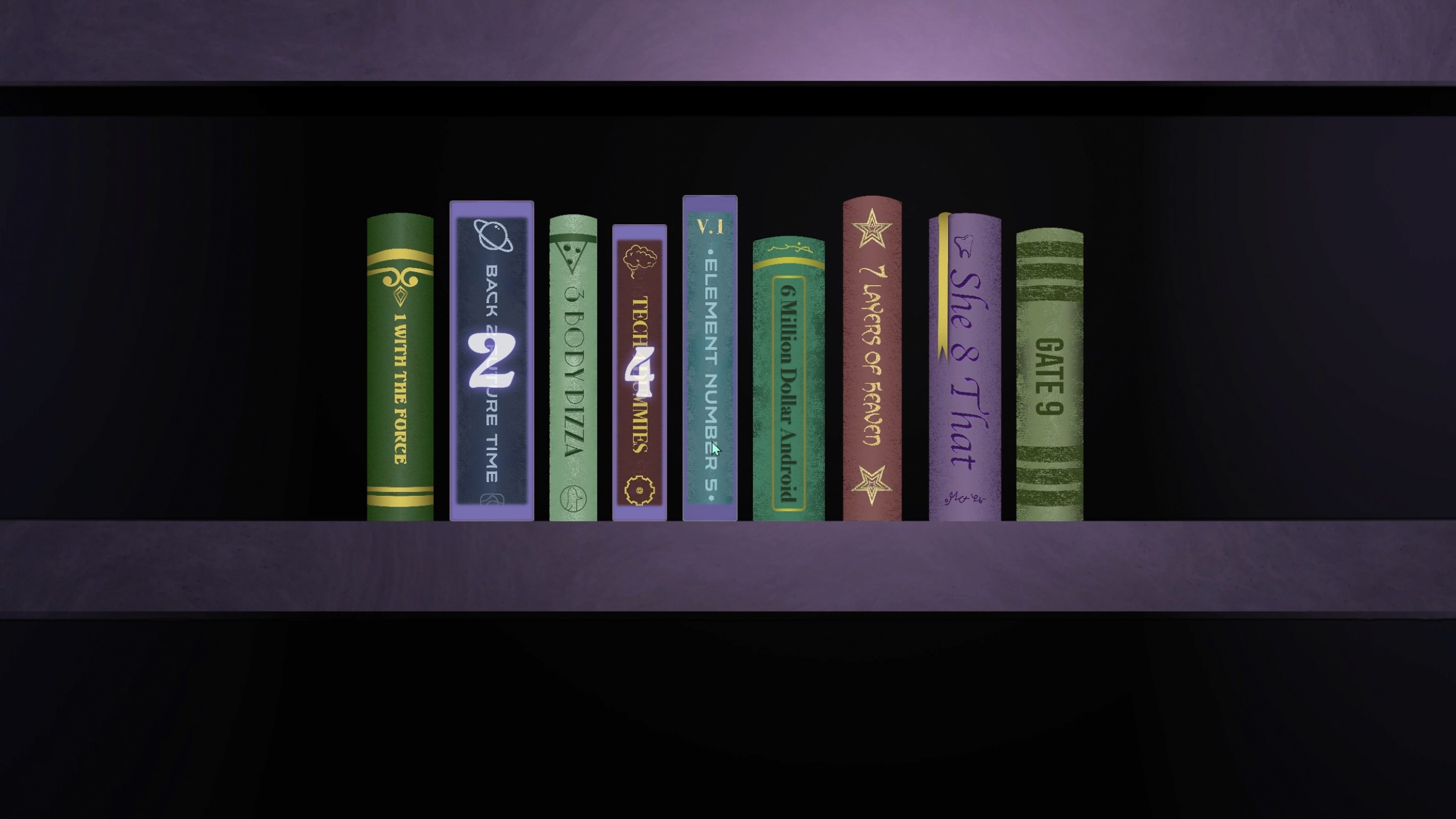
Players encounter code-based puzzles throughout the game, where they must decipher and input specific sequences of numbers or symbols to unlock doors, safes, and computers or access vital clues and story elements. These passcodes or passcode clues can be found around the environment with the ‘Ocular Implant (Q),’ written logs, clues or dialogue.
Players encounter code-based puzzles throughout the game, where they must decipher and input specific sequences of numbers or symbols to unlock doors, safes, and computers or access vital clues and story elements. These passcodes or passcode clues can be found around the environment with the ‘Ocular Implant (Q),’ written logs, clues or dialogue.
My contribution
I used Blueprints in Unreal Engine 5 to connect the puzzle’s UI to the scripts the developer wrote, then tested every interaction to make sure it all worked in game. This is where the technical UI side of my role comes from.
07 / 07
Netmail
Netmail
Netmail
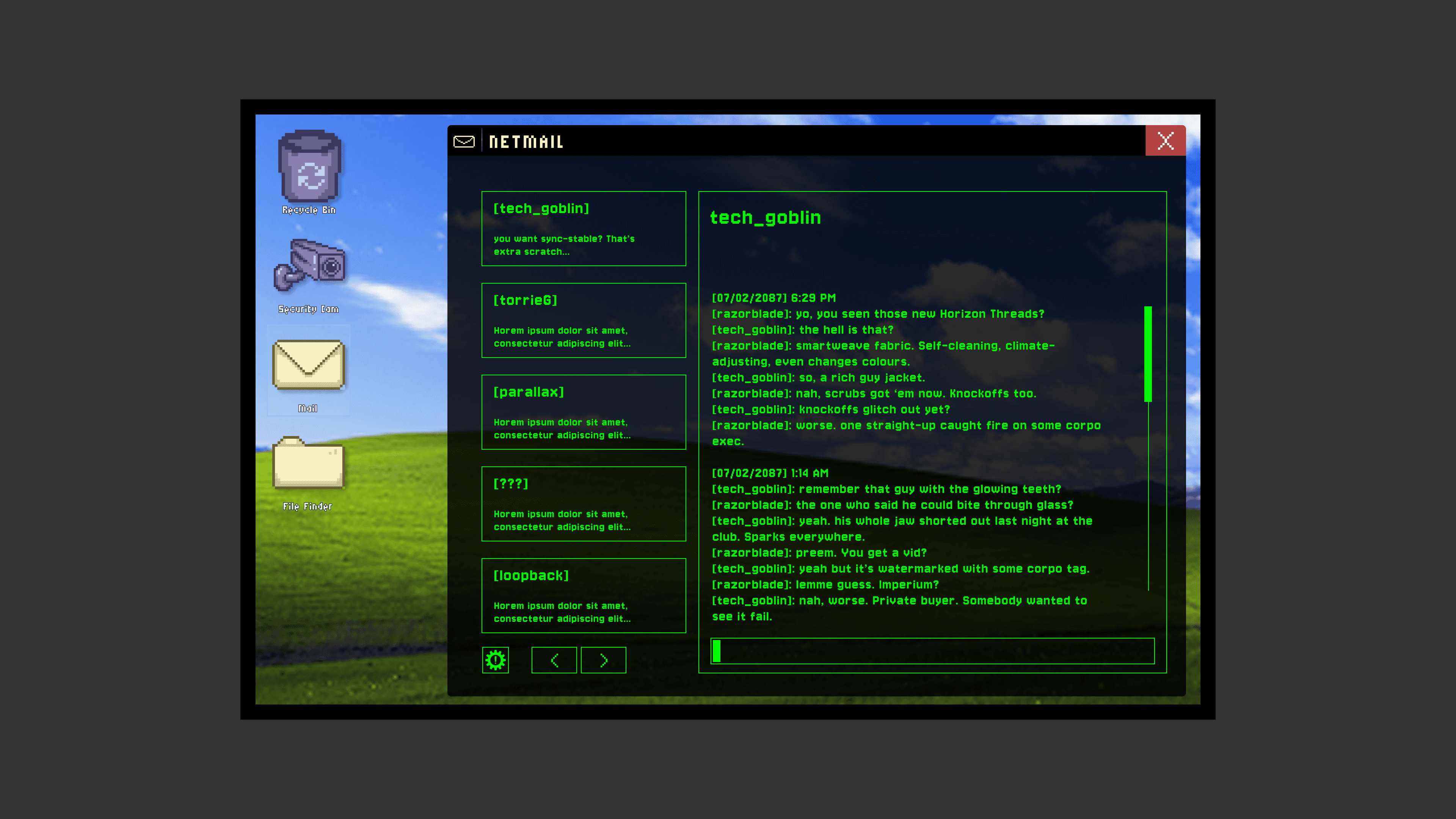
The core messaging and mail application featured in Blackwood, used to deliver narrative logs and conversations between characters. Since it handles large volumes of text, the layout prioritizes readability, spacing, and text hierarchy. Typography, message grouping, and container width were refined to ensure comfortable reading across long narrative exchanges.
The core messaging and mail application featured in Blackwood, used to deliver narrative logs and conversations between characters. Since it handles large volumes of text, the layout prioritizes readability, spacing, and text hierarchy. Typography, message grouping, and container width were refined to ensure comfortable reading across long narrative exchanges.